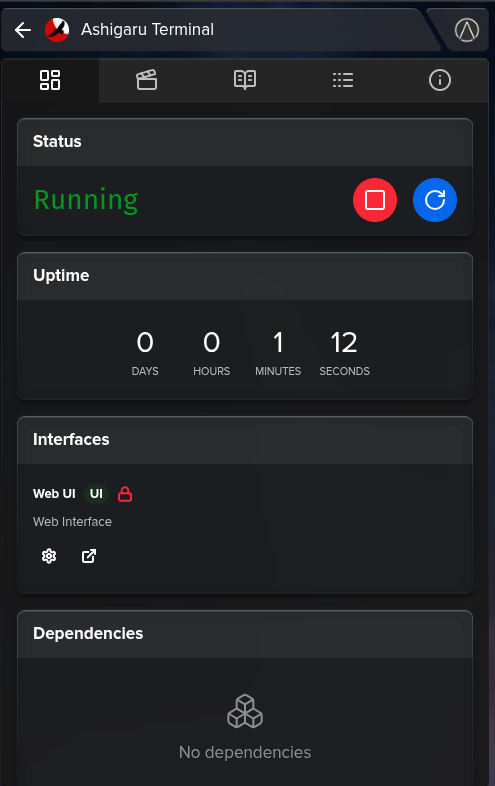
Its running version 1.26 - it would be nice if @linkinparkrulz updated it to 1.27 as its a requirement for the Ashigaru Terminakl (I think anyway).
It needs sideloaded current but it works. Hopefully be fully integrated soon!
Its running version 1.26 - it would be nice if @linkinparkrulz updated it to 1.27 as its a requirement for the Ashigaru Terminakl (I think anyway).
It needs sideloaded current but it works. Hopefully be fully integrated soon!
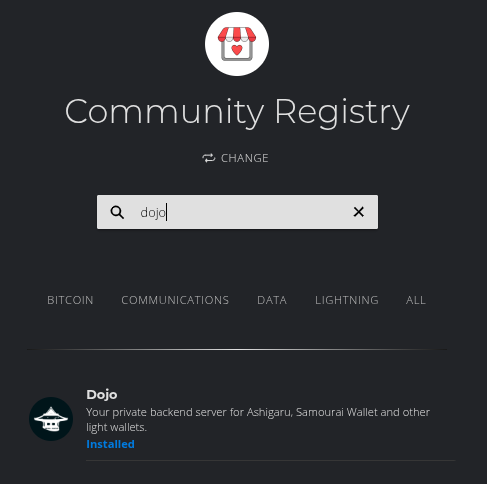
It is in the Community Marketplace, not the Start9 Marketplace. The latter is for “flagship” apps. To use the community marketplace you click on “marketplace” on the left hand side click “change” underneath the registry name and then switch to “Community Registry”.
You should see dojo when you search:
No hints needed sir. Just download it and pair it to core and electrs/fulcrum.
Take your ashigaru or samourai wallet and connect to said dojo with qr code.
Number of things to hit here sir:
Why isn’t the dojo update in the marketplace? WHat about Ashigaru-Terminal?
With Start9 migrating over to 0.4.0 soon going through the testing process for 0.3.6 apps has been discouraged. And so, at this point, I am migrating these projects over to the new OS.
Releases:
if you just connect Ashigaru from a Smartphone to a Dojo installed on StartOS, does it actually work? is it functional?
oh hell yeah it does.
I’m not here to bash Ashigaru, but for anyone who wants a deep dive into some vulnerabilities, I thought you would like this X post
https://x.com/bc1984adam/status/1943909170941501556?s=51&t=Frmwej9GpLHvlVIDIEz21g
bc1984adam (@bc1984adam) posted:  UPDATED: Review of Ashigaru Whirlpool: RSA Blinding & Deanonymization Concerns
blog: https://bc1984.com/ashigaru-terminal-whirlpool-review/
gist: https://gist.github.com/84adam/e130b40cff5915de67b86fc8e452c8aa
What up with the ‘copy’ command when I try to recieve bitcoin in my ashigaru terminal wallet? How can we use it at all? Not clickable, not copy/pasteable… How do you guys start/receive ashigaru terminal in start9 right now when you can not copy the address? Only work with QR code version?
Really cool dat Dojo is available, however: I think there is a huge Venn-diagram overlap between souvereignty-lovers that want to use Dojo, and the ones that are using Knots. This entire group is now stuck.
I’m going to have to come up with a boilerplate response to deal with you knots guys  because there seems to be a misunderstanding from you all.
paynyms and whirlpool rely on being able to use op_return in its 80 byte capacity. on knots they have it at luke jrs predetermined 40 bytes. this makes it infeasible for you to enter whirlpool or connect to a paynym because you cannot relay the proper data in the transaction from your own node.
Pavel included the ban knots script to prevent dojo’s from connecting to knots nodes that could not relay their transactions based on the same idea as personal node broadcasts.
Controversially, with the removal of the op_return cap by core it creates an opportunity for more efficient transactions in the samourai/ashigaru stack. Whirlpool multiparty tx0’s and batch paynym connection transactions are two examples. The latter of which we are hoping to start tinkering with soon.
Thanks, and sorry for my technical ignorance. I think Whirlpool is an excellent argument to raise the OP_RETURN limit to 80 bytes. I just really like the philosophy of Knots leaving configurability in the hands of node operators.
Hope this will become a possibility.
Edit: so setting the OP_RETURN to 80 in Knots will enable the Knots - Dojo cooperation, right?
Core can be configured in the exact same way considering both Knots and Core are the exact same software. The difference lies in the defaults and unpredicatability of the knots team.
Here Pavel explains more thoroughly:
I appreciate your request and the kind manner you’ve approached it with, but I’m not talking Knots anymore (3 responses in 3 different venues today).
Policy is not enforceable at the end of the day.
Adam did a great job on that post.
In regards to the vulnerability, it should be noted that your funds are never at risk in the terminal and that the issue is purely about deanonymization via a malicious coordinator.
From my perspective, as an Ashigaru user, I believe Ashigaru to be a good actor based on their efforts in development so far. Therefore, I am confident in the current release of Ashigaru Terminal and look forward to them ironing out the issues.
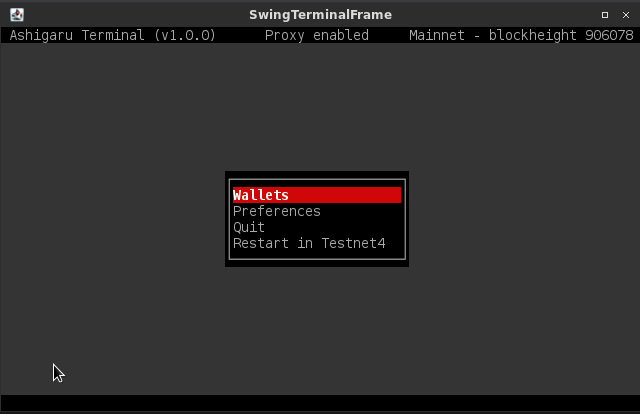
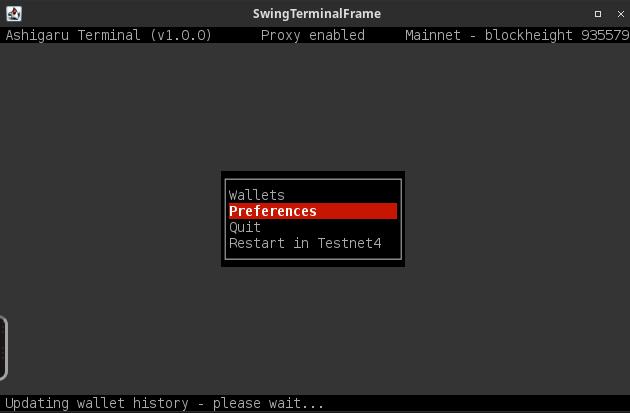
It is called a terminal interface.
In this sorts of applications, you can only use the keyboard to enter information, arrows to navigate and enter to select options.
Thx. I was confused by the COPY command there. It gives the impression it might be usable.
Are there any news on updates regarding ashigaro terminal whirpool?
I can not make this work even after hours of trying to set it up, sadly It is confusing as hell and feels buggy as f**k.
In the settings under preferences-server I can not add own server cause my electrums is behind tor only. As I can not copy paste anything into or from KasmVCN how am I supposed to transfer my tor-address into that settings-private-electrum-server field in ashigaru terminal? How you do it?
On top of that the private electrum server is already set to 127.0.0.1 from the start and when I test with that setting it says ALL OK… What does that mean? That it grabbed the settings from my start9 already?
Sorry I am unable to support this. its only really @linkinparkrulz who has the answers. I don’t actually run a start9 dojo. Although I would like to see it properly integrated into the app store still. Its kinda a letdown that it isn’t.
For anyone who does have it working, its a good idea to submit your dojo to https://dojobay.pw/ for those who cant sustain their own.
PP Out.
You can manually type in the tor address for your electrs. It’s a pain, but just take it 4 characters at a time and go slow enough to get it right.
I tried that many times, but it sets itself back to 127.0.0.1 as soon as I click on test or done.
I guess that is because on that specific start9 IS my electrums AND my whirpool terminal, and the terminal app sees that 127.0.0.1 is the right ip to connect to?
How can I make sure that this is right?
Hey @Whatumbo ,
Sorry it took me so long to reply to this, I have a bunch of projects on the go.
Firstly, the terminal instance for Start9 isn’t an official release, it’s not in the app store for that reason. I made it for myself and shared the s9pk on github. Use at your own discretion.
Secondly, you have to type it in if you want to use your own. In the upcoming version which is basically finished, the fulcrum instance connects to ashi terminal in the UI - so you won’t have to type or be confused.
Thirdly, 127.0.0.1 is a local default IP. If you were using a normal desktop for this operation it would make sense to use this IP address, but since each application exists in its own docker container the corresponding applications can not see their counterparts this easily. You should use the onion address of your fulcrum instance.
@PreturbedPrejudice the Start9 Dojo is as integrated as can be in the Start9 package through the community store. Unfortunately, the boys at Start9 only have so much time to take care of ‘official’ packages and therefore Dojo being one of those is unlikely. BUT thanks to your initial proposal and generous gift to EricPP we ended up with a community store supported Dojo AND Fulcrum as an official Start9 package.
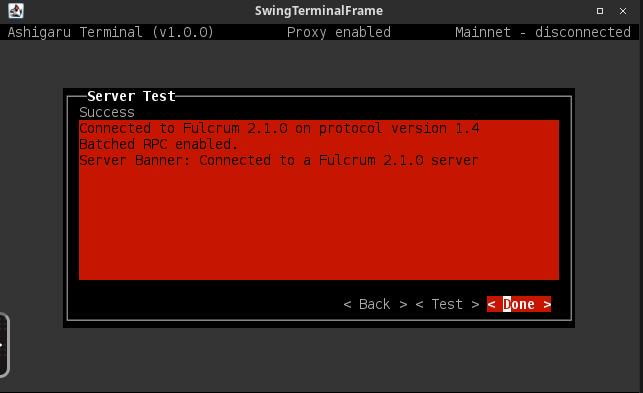
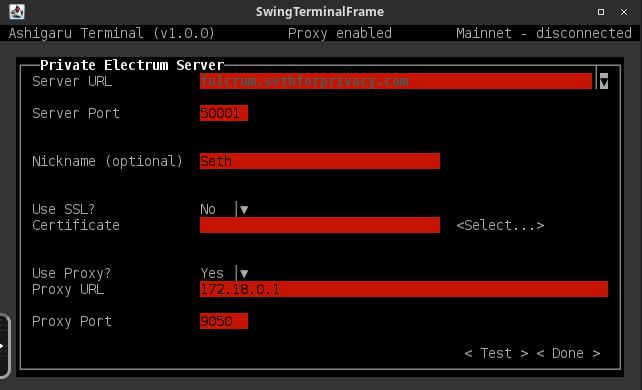
As for changing your private server details in Ashi Terminal @Whatumbo, i think i would need to get more details on your experience. A good test you can do that isn’t so time consuming is to use SethForPrivacy’s fulcrum instance. I’ve included some screenshots.
@PreturbedPrejudice and @Whatumbo can you send me a DM on here and I’ll provide you with my signal username.