# New DIY Start9 box - can't figure out its IP address
**URL:** https://community.start9.com/t/new-diy-start9-box-cant-figure-out-its-ip-address/4676
**Category:** DIY Community
**Created:** [December 12, 2025, 2:23am UTC](https://community.start9.com/t/new-diy-start9-box-cant-figure-out-its-ip-address/4676 "2025-12-12T02:23:36Z")
**Posts on this page:** 8
**Page:** 1
### Author:  [@rottenwheel](https://community.start9.com/u/rottenwheel)
#### Post date: [December 12, 2025, 2:23am UTC](https://community.start9.com/t/new-diy-start9-box-cant-figure-out-its-ip-address/4676/1 "2025-12-12T02:23:36Z")
In summary, I rent, don’t own. Landlord owns router. When I flipped it to find its brand and model, looked up default LAN IP address to access it, it’s an ISP’s SSO portal. I have zero credentials to get in. Seems paywalled, to an extent. On the flip side, DIY box is plugged in both power and ethernet cable; unfortunately, I have no way to access Start9 UI yet, any ideas or pointers in this situation, very much appreciated!
Brand-new face to Start9 and the community, FWIW; although I have exchanged a few words here and there with some of the team for other shenanigans in the past. Glad to be here. 🫡
_Edit_: I believe I got the IP address using Fing, a mobile application to scan my network. Two devices read **Generic** , might be _unidentified_, but neither work when I attempt to open them, not even including known open ports. 🤔
---
### Author:  [@StuPleb](https://community.start9.com/u/StuPleb)
#### Post date: [December 12, 2025, 1:18pm UTC](https://community.start9.com/t/new-diy-start9-box-cant-figure-out-its-ip-address/4676/2 "2025-12-12T13:18:59Z")
You would not use the IP anyway, that’s what both .locals are for.
---
### Author:  [@rottenwheel](https://community.start9.com/u/rottenwheel)
#### Post date: [December 12, 2025, 1:33pm UTC](https://community.start9.com/t/new-diy-start9-box-cant-figure-out-its-ip-address/4676/3 "2025-12-12T13:33:21Z")
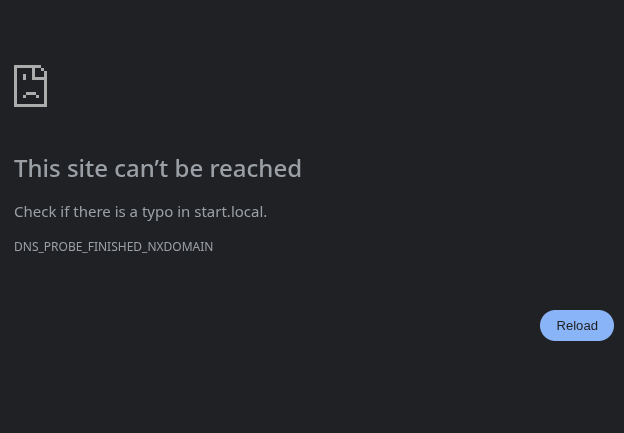
`http://start.local` doesn’t work either.
[Technicolor CGM4321](https://www.gditechnology.com/manuals/Technicolor%20CGM4231_Spec.pdf)…
---
### Author:  [@StuPleb](https://community.start9.com/u/StuPleb)
#### Post date: [December 12, 2025, 1:47pm UTC](https://community.start9.com/t/new-diy-start9-box-cant-figure-out-its-ip-address/4676/4 "2025-12-12T13:47:35Z")
Without having control of the router, it’s difficult/impossible to work out what is going on with the network. You’re probably going to be forced to use Tor for everything.
---
### Author:  [@rottenwheel](https://community.start9.com/u/rottenwheel)
#### Post date: [December 12, 2025, 1:48pm UTC](https://community.start9.com/t/new-diy-start9-box-cant-figure-out-its-ip-address/4676/5 "2025-12-12T13:48:37Z")
That’s fine. How to proceed using Tor for everything?
I could see about asking landlord and ISP for router access too…
---
### Author:  [@StuPleb](https://community.start9.com/u/StuPleb)
#### Post date: [December 12, 2025, 1:54pm UTC](https://community.start9.com/t/new-diy-start9-box-cant-figure-out-its-ip-address/4676/6 "2025-12-12T13:54:46Z")
You’d find the IP, initially set up with that, then grab the .onion you’re given, and ignore the .local.
---
### Author:  [@rottenwheel](https://community.start9.com/u/rottenwheel)
#### Post date: [December 12, 2025, 1:57pm UTC](https://community.start9.com/t/new-diy-start9-box-cant-figure-out-its-ip-address/4676/7 "2025-12-12T13:57:07Z")
🤔 in other words, no access to router, no game? No other way to find & confirm Start9’s box IP address, as far as I can tell.
`arp -a` and the likes didn’t yield much luck, no connected devices’ IP address worked, `Fing` mobile application didn’t help much either.
I’ll see about requesting access to ISP SSO on router’s IP address.
---
### Author:  [@StuPleb](https://community.start9.com/u/StuPleb)
#### Post date: [December 12, 2025, 2:00pm UTC](https://community.start9.com/t/new-diy-start9-box-cant-figure-out-its-ip-address/4676/8 "2025-12-12T14:00:01Z")
You’re using a device on your network now. It’ll have an IP address and a subnet mask.
Best case, you download an IP scanner and find it that way.
Worst case you’d type 253 or so IP address to find the right one. 😆
I suppose though, there’s a chance, that the router is so locked down that you’re on a guest wifi network and the server plugged in via ethernet is not.