# No Disk option to select when installing as a VM
**URL:** https://community.start9.com/t/no-disk-option-to-select-when-installing-as-a-vm/4261
**Category:** StartOS Support
**Created:** [October 12, 2025, 5:39pm UTC](https://community.start9.com/t/no-disk-option-to-select-when-installing-as-a-vm/4261 "2025-10-12T17:39:39Z")
**Posts on this page:** 9
**Page:** 1
### Author:  [@atafm2](https://community.start9.com/u/atafm2)
#### Post date: [October 12, 2025, 5:39pm UTC](https://community.start9.com/t/no-disk-option-to-select-when-installing-as-a-vm/4261/1 "2025-10-12T17:39:39Z")
hi,
I am installing StartOS as a VM on a Dell r630 server running Xcp-ng.
when I do the install and get to the Select Disk part, there is no options. How do I fix this?
Thanks 🙂
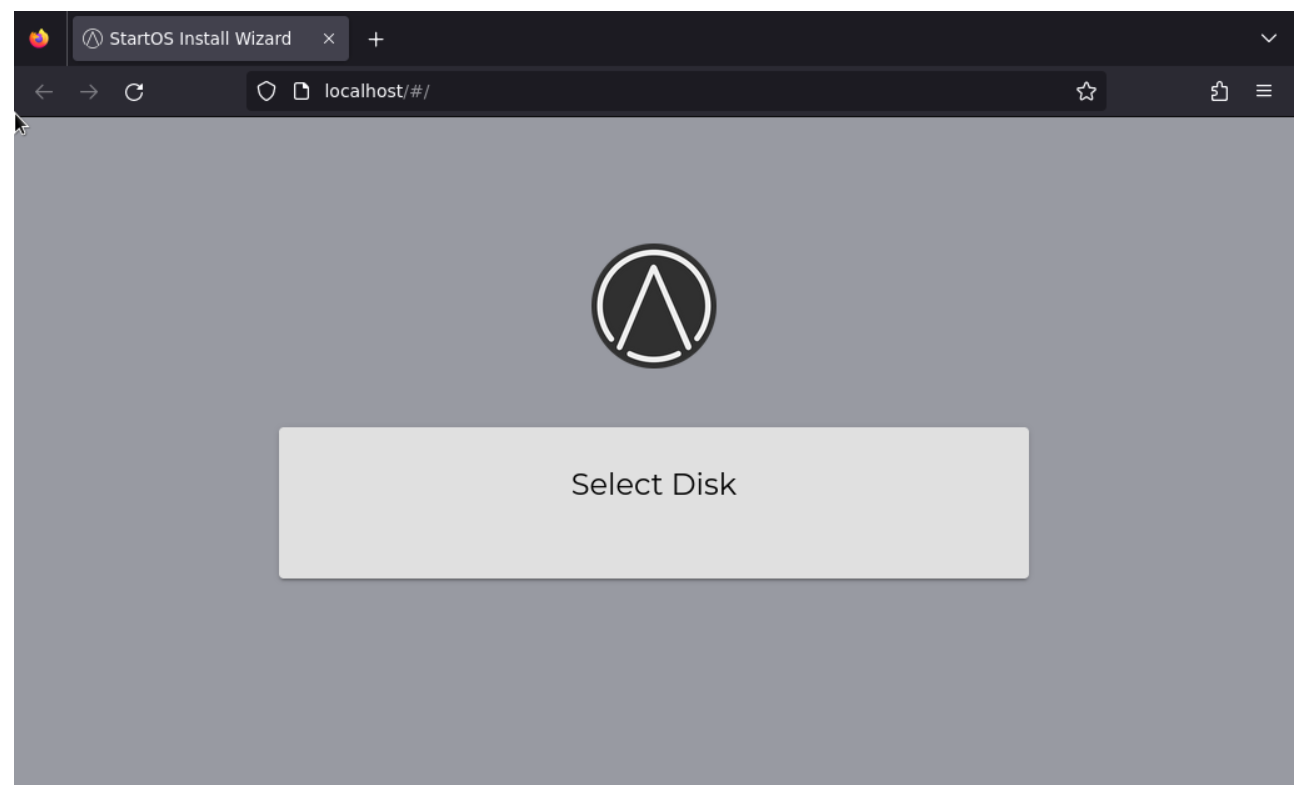
If it matters, I gave the VM 10 cores, 10GB ram, and 65GB of storage
---
### Author:  [@atafm2](https://community.start9.com/u/atafm2)
#### Post date: [October 12, 2025, 6:09pm UTC](https://community.start9.com/t/no-disk-option-to-select-when-installing-as-a-vm/4261/2 "2025-10-12T18:09:38Z")
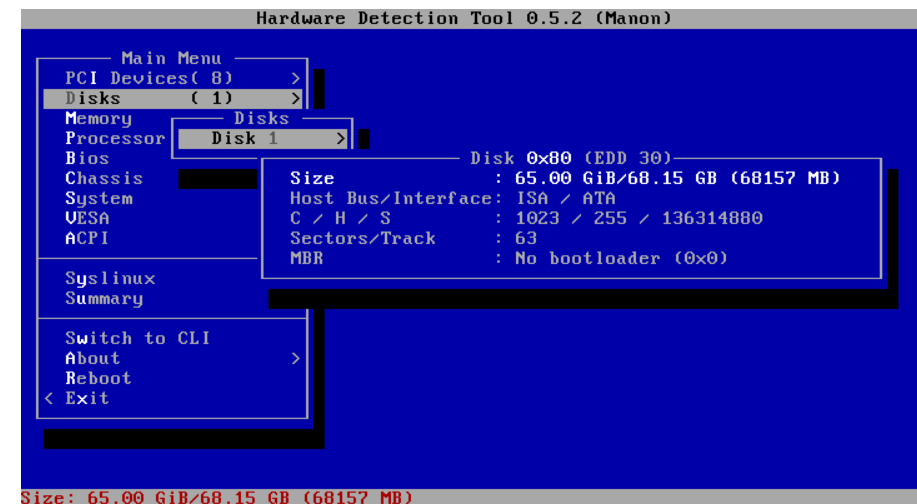
new users can only put one picture per post i guess, so here is some more info
---
### Author:  [@atafm2](https://community.start9.com/u/atafm2)
#### Post date: [October 12, 2025, 6:12pm UTC](https://community.start9.com/t/no-disk-option-to-select-when-installing-as-a-vm/4261/3 "2025-10-12T18:12:19Z")
---
### Author:  [@StuPleb](https://community.start9.com/u/StuPleb)
#### Post date: [October 13, 2025, 5:04pm UTC](https://community.start9.com/t/no-disk-option-to-select-when-installing-as-a-vm/4261/4 "2025-10-13T17:04:00Z")
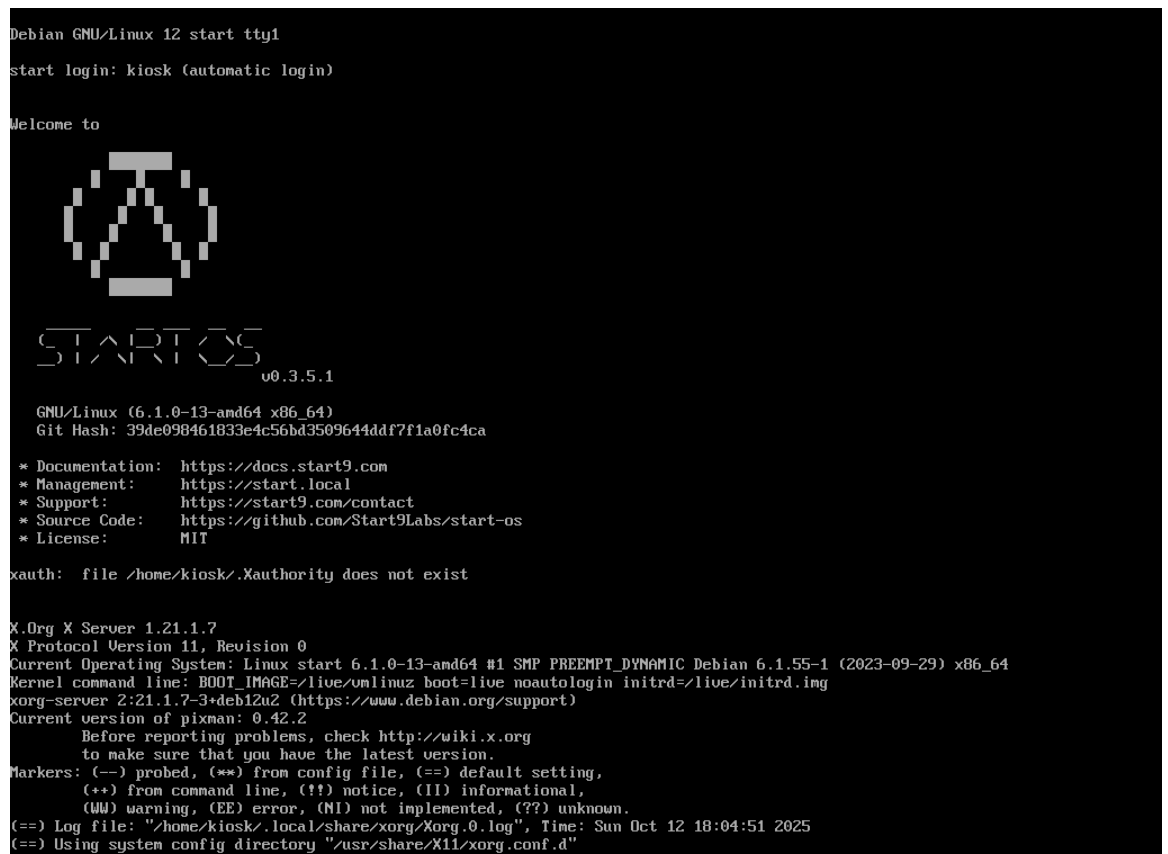
Your second image seem to correspond with this not being a VM, the last image seems to suggest managed to install it on a drive that eventually showed up. So I’m not sure if you still have a question.
---
### Author:  [@atafm2](https://community.start9.com/u/atafm2)
#### Post date: [October 13, 2025, 5:52pm UTC](https://community.start9.com/t/no-disk-option-to-select-when-installing-as-a-vm/4261/5 "2025-10-13T17:52:55Z")
hi,
no it is **not solved**.
yes all images are of it in a VM
i am simply showing that in the hardware detection tool it shows the drive. It installs to the point where it opens that firefox window, but then you are supposed to select a disk to finish the install in the gui, but i cant see a disk to select [first image].
Last image is what is on screen before it opens the firefox gui in the first pic
---
### Author:  [@StuPleb](https://community.start9.com/u/StuPleb)
#### Post date: [October 13, 2025, 5:59pm UTC](https://community.start9.com/t/no-disk-option-to-select-when-installing-as-a-vm/4261/6 "2025-10-13T17:59:04Z")
OK…
1. Your VM manager needs to expose a formatted drive with one EXT4 partition already created on it. It shouldn’t necessarily _ **need** _ to, but doing so should help things along. I’m not sure what to tell you with regards to fiddling with it to make it work, but there should be a way to make it work.
2. That your VM manager is creating a virtualized display output that needs specific closed source drivers that aren’t found in StartOS is unusual. If options exist to simply this, you could do it, but better just to delete the virtualized display altogether to avoid this error. StartOS works best using it across a network.
---
### Author:  [@atafm2](https://community.start9.com/u/atafm2)
#### Post date: [October 13, 2025, 6:16pm UTC](https://community.start9.com/t/no-disk-option-to-select-when-installing-as-a-vm/4261/7 "2025-10-13T18:16:20Z")
vm manager is xcp-ng
I tried the install with both the normal x86 and the nofree x86 iso files and same results.
the storage xcp-ng is giving it is ext4. passing it a whole drive instead of a partition might be challenging. ill keep trying things. This server also has a hardware raid controller which i dont think should be a problem, but it wont be a pci passthru drive.
i have never tried deleting the virtualized display and do not know for sure if that can be done with xcp-ng. ill look into it. I did see an install video where the guy said that he had to unplug his hdmi cable during the install, but then was able to plug it back in after the install finished. I wonder if I just dont open the console which causes the display to start if that would work. ill try later today.
thanks for the help, i will update
---
### Author:  [@atafm2](https://community.start9.com/u/atafm2)
#### Post date: [October 16, 2025, 6:36pm UTC](https://community.start9.com/t/no-disk-option-to-select-when-installing-as-a-vm/4261/8 "2025-10-16T18:36:53Z")
still cant figure it out 😕
---
### Author:  [@Rexter](https://community.start9.com/u/Rexter)
#### Post date: [October 17, 2025, 1:56pm UTC](https://community.start9.com/t/no-disk-option-to-select-when-installing-as-a-vm/4261/9 "2025-10-17T13:56:46Z")
You’re having a xcp-ng issue, rather than a StartOS problem. You’ll need xcp-ng specific help.
I know nothing about xcp-ng. But hopefully, I can provide some clues to help you in your search. At this point in the install process StartOS is looking for a drive which it can create a small partition for the system. You need xcp-ng to offer a virtual drive, not a partition, to the guest OS. The underlying hardware doesn’t matter, as long as the VM host is offering the virtual drive to StartOS is the same way it would see a drive on bare metal. If the virtual drive is being offered in such a way that requires xcp-ng specific drivers, it’s going to be real tough to get that to work with StartOS.