@Israel Don’t click anything in that “ticket” email or reply to it. Whatever we need from you, we’ll ask here in the thread.
No-one will “open a thread” for you from Start9 in any official capacity. The only place to get support from Start9 is here: https://support.start9.com/
If you’re not a customer, actively using our official support, you won’t get any emails from us.
As for unofficial volunteer support:
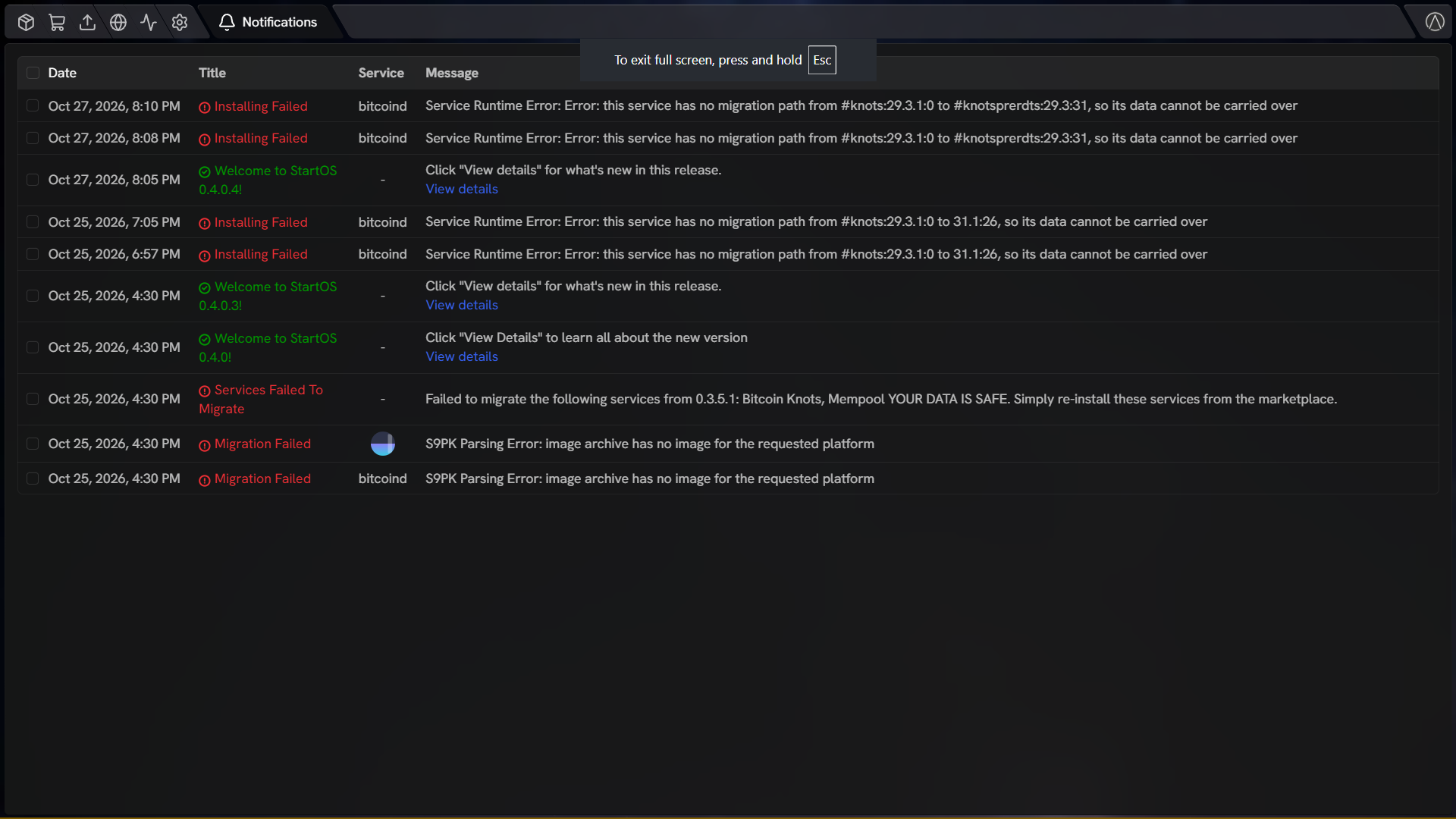
Knots isn’t in Services because it didn’t make it across in the update from 0.3.5.1, so there’s nothing there to uninstall. Its data, blockchain included, is still on your server, and that’s what every install trips over. The second option in the earlier reply won’t work for you either: Bitcoin Knots (pre-RDTS) only takes data from Knots 29.3.0 or older, and your error message is it refusing 29.3.1.
StartOS has no button to clear data left behind by a service that’s gone, so this needs SSH. The docs walk you through connecting: https://docs.start9.com/start-os/ssh.html
Knots 29.3.1 was never in a Start9 registry. StartOS has no idea what it is or what to do with it. It was installed manually from its developer’s GitHub, where two different downloads carried that number. One follows normal Bitcoin rules. The other follows the new BIP-110 (RDTS) rules, which is a separate chain. Which one you had decides whether your blockchain can be kept. Once connected, run this. It looks for that setting in your old Knots config:
sudo grep -H consensusrules /media/startos/data/package-data/volumes/bitcoind/data/main/start9/config.yaml
If it prints nothing, you had the normal build and can keep your blockchain. This relabels the data as an ordinary Knots 29.3.0, which is what the pre-RDTS package expects:
echo -n '#knots:29.3.0:0' | sudo tee /media/startos/data/package-data/volumes/bitcoind/data/.version
Then, in the dashboard:
- Open Marketplace, click Start9 Registry at the top of the left menu and pick Community Registry.
- Open Bitcoin Knots (pre-RDTS) and click Install. It picks up your data as it is.
- Back in Marketplace, switch to Start9 Registry, open Bitcoin Core and click Switch where Install would normally be. Core then only has to catch up on the blocks it missed.
If it prints a line with rdts in it, your blockchain followed the other chain and can’t be reused. Delete it with this, then install Bitcoin Core from the Start9 Registry. It downloads the blockchain from scratch, which takes a day or more. Your Sparrow wallets live on your computer, so this doesn’t touch them.
sudo rm -rf /media/startos/data/package-data/volumes/bitcoind