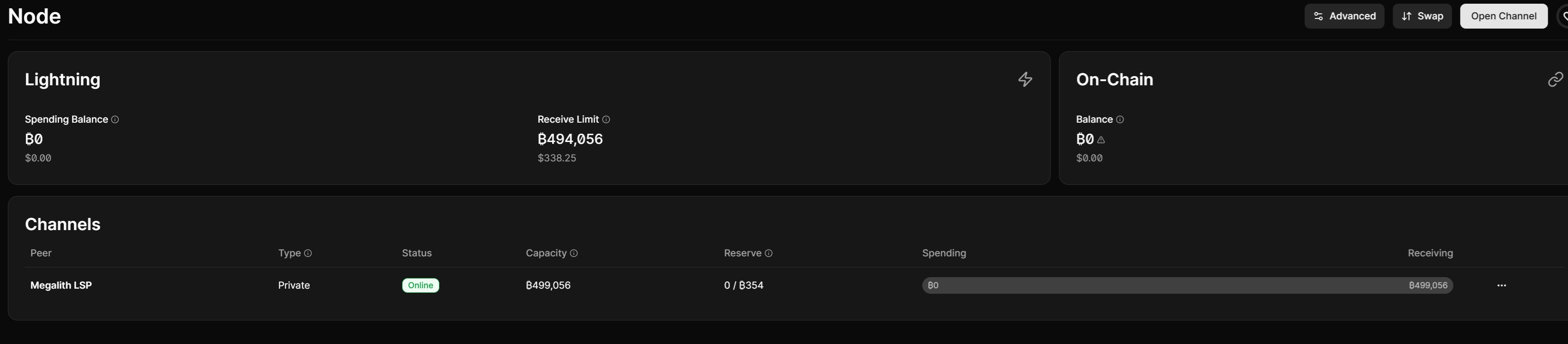
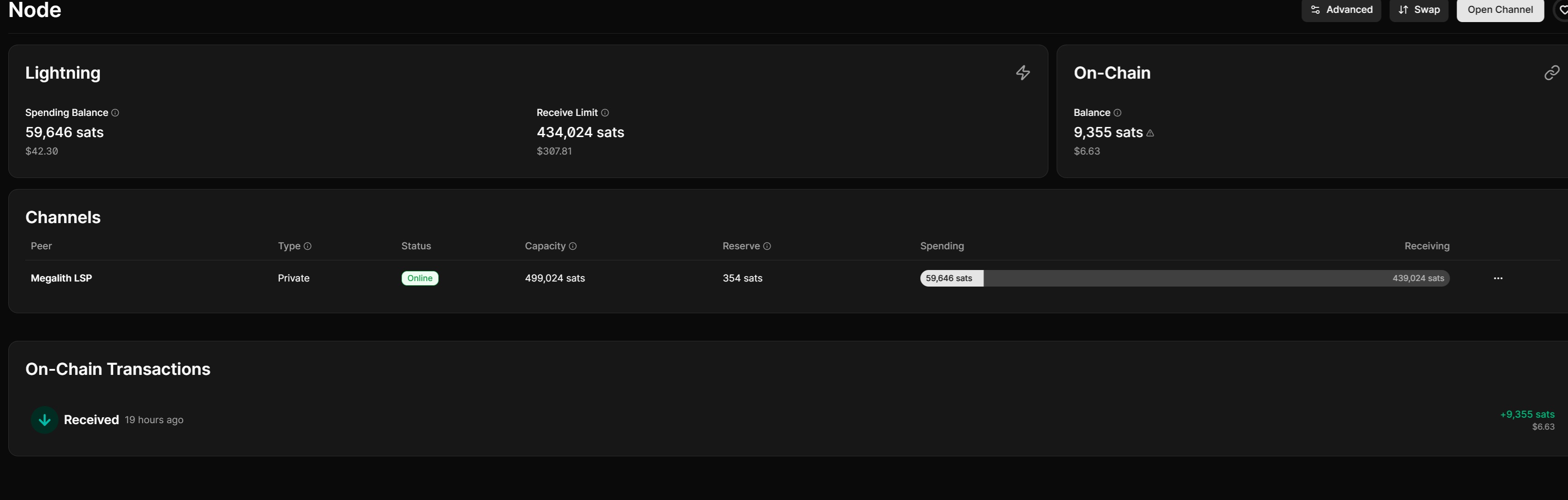
New here and just received my first ever node a start9 server one. Installed bitcoin knots, fulcrum, lnd and alby hub, everything is fully synced. Created an alby account and paid to open a lighting chanel with megalith lsp with a capacity of 499,056 sats. Currently following setup steps by southern bitcoiner on how to get my lightning channel up and running. https://youtu.be/gLCyRFZOdGQ?si=MxZs_SlzqeDenfW5&t=1199
I’m at the part where I have to send my alby hub wallet funds to increase my spending balance as its currently at 0 sats. I’ve tried with multiple different lightning wallets to send funds but each one keeps failing. The receive wallet in alby hub just sits there waiting and it never receives any funds. Is there a step I’m missing because I did everything shown in the video but its not working for me. Appreciate any help.
Looks like I got an email from alby telling me my alby hub was offline and to log in. Not sure why it would say that as I was already in the hub through start9. Anyways I went to the actual alby hub website and logged in there through my browser. Then tried sending sats to my hub in start9 again and it went through. Not sure why this happened but its working now. If anyone gets the same issue, I guess just log in to the website even if you are in the the .local alby hub through start9.
You have a private channel with MegalithLSP, which means no-one else, including your other wallets, can see it.
I don’t see a way to create routing hints in your invoices in AlbyHub, so I assume it’s not possible. Paying you your lightning address (@getalby.com) probably does this automatically though, so maybe try that. You might want to ask Alby.
You’ll probably want/need to set up at least one public channel.
Thanks for the reply. I am still very new to lightning and learning as much as I can. I was finally able to send funds to my wallet last night. I do see my channel saying its private, so how were my mobile wallets able to finally find my channel to send the funds?
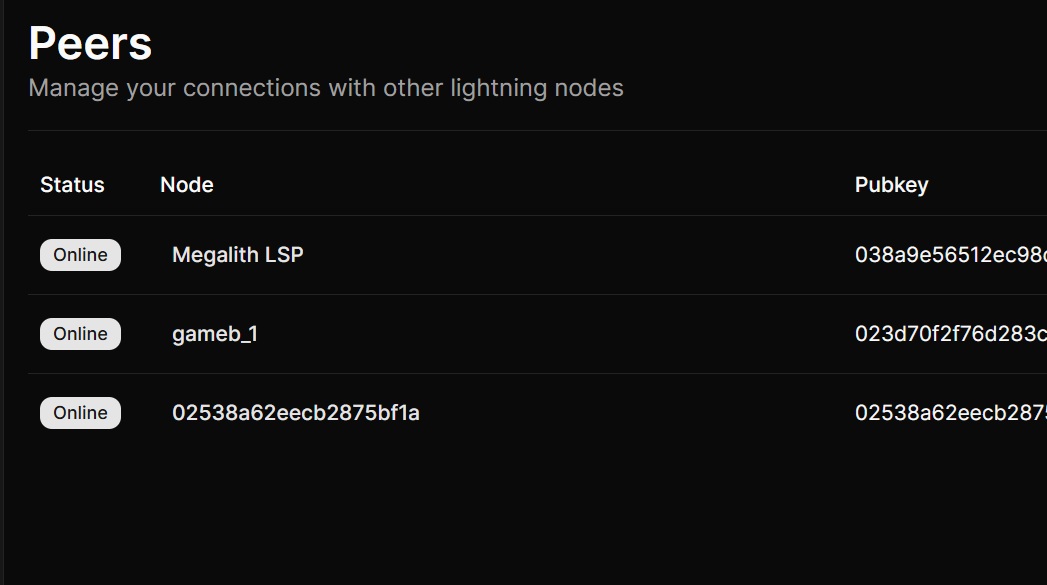
Also under advanced settings > connected peers I see I have two other peers besides megalith connected to me. How is that possible if my channel is private?
When you generate a Lightning invoice in Alby Hub, it can include routing hints — hidden hints embedded in the invoice that tell the sender how to route through your private channel without it being publicly visible on the network. That’s likely how it worked. The Alby Hub connected to the Alby cloud service also helps route payments correctly, which is probably why logging into the Alby website triggered it to work.
As of second questions a private channel means it’s not announced to the public Lightning Network gossip layer — it won’t show up in routing tables. But peers are just TCP connections between nodes. Any node can connect to yours as a peer without having a channel. This is normal and not a security concern — being a peer doesn’t give them access to your funds.
Thanks for looking that up @h0mer - considering the private channel, I had assumed routing hint were being included discretely. I know from practice they’d have to be, I suppose, since the @alby lightning addresses work.
I noticed in my start9 services i’m running version 1.21.0 of alby hub and when launching I get a notification on the top that there is a newer version out 1.21.6. I still see in the marketplace 1.21.0 is the latest version. Being new to start9, how long does it typically take the marketplace to have the latest versions? Thanks
Depends entirely who is packaging and what priority they give StartOS. It’s not going to be long until developers want to give StartOS the highest priority.
We have a close relationship with the Alby team, and I’m sure we’ll both get to it eventually.
As for the packages that the Start9 team maintains… those will take a little longer as we focus on StartOS 040, we lack the capacity to spend too much time working on other people’s software alongside ours. We expect things to improve as the market size of home users increases drastically in the coming months.