I have great news to report back!
With the help of this community post, I have successfully used Caddy to reverse proxy to my Start9 .local service WITH TLS!
Caddy and Pi-Hole work in tandem to take a domain or subdomain request and correctly route the traffic to that specific .local service hosted on the start9 all while retaining the secure tunnel. I’d like to explain what is being done in an effort to understand it myself LOL. Please feel free to interject, very much still learning here…
A total of 2 devices were needed to accomplish this because again, I’m still a noob to a lot of this… The first device was a Mac mini running Docker Desktop with a Pi-Hole instance. The second device is an Macbook pro 2012 running Pop!_OS with a Caddy instance.
DNS PROVIDER
-
Create an A record on my domain proxying to my ip.
-
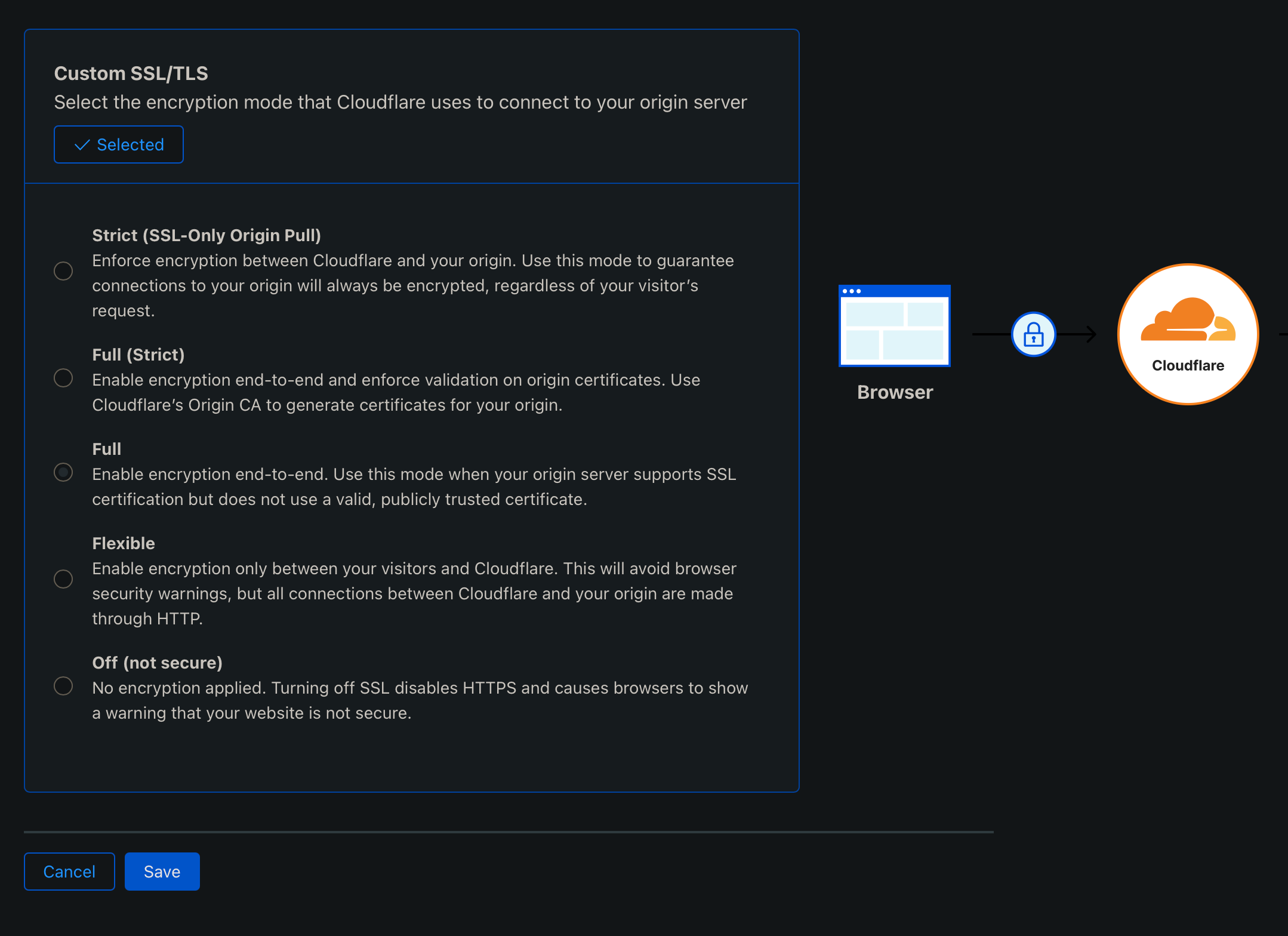
Enable Full SSl/TLS encryption (Cloudflare recommended)
Mac mini/Pi-Hole
-
Download Docker Desktop
-
Install Pi-Hole with Docker
-
Run Pi-Hole
-
Visit PiHole web interface sidebar - Domains - Add a new domain or regex filter
- In this section, 'domain" refers to your domain.com or sub.domain.com that you expect to resolve to the .local service
-
Still in PiHole web interface sidebar - Local DNS - DNS Records - Add a new domain/IP combination
- “domain’” refers to your LongSelfHostedAddress.local
- “IP Address” refers to the IP of your Start9 Server
Local Router
-
Reserve the Start9 Node and Mac mini’s IP address
-
Open ports 80 and 443 to MacBook Pro running Caddy
-
Change home router DNS settings to match the Mac Mini’s (Pi-Hole’s) IP address
-
Verify Pi Hole DNS is functioning properly and you can get to the open internet
MacBook Pro/Pop!_OS/Caddy
- On MacBook Pro with Pop!_OS change file
/etc/systemd/relsolved.conf
DNS=Mac Mini's IP
Domains=~local
CA CERTIFICATES
Using a web browser visit the IP address of the Start9 node. Follow this tutorial for how to install CA certificates on linux.
Install Caddy
Create Caddyfile with format:
domain.com {
 reverse_proxy LongSelfHostedAddress.local
}
- Run Caddy
sudo caddy run --config /path/to/caddyfile
If you followed every step you should ‘in practice’ have a functional reverse proxy to your start9 .local service with TLS encryption so you so don’t accidentally leak any clear text queries
I really hope this helps someone out there! I know its kind of a crazy seupt, but its the best way I’ve found to do it because you can’t run Caddy and Pi-Hole on the same machines because they both want to observe the same ports.
I also believe this is as a safer alternative to using something like Tailscale which exposes the wholeness of your network to your entire tailnet. Using this option allows you to have the safest and most customizable way to allow yourself and others to utilize your node services.
ENJOY!