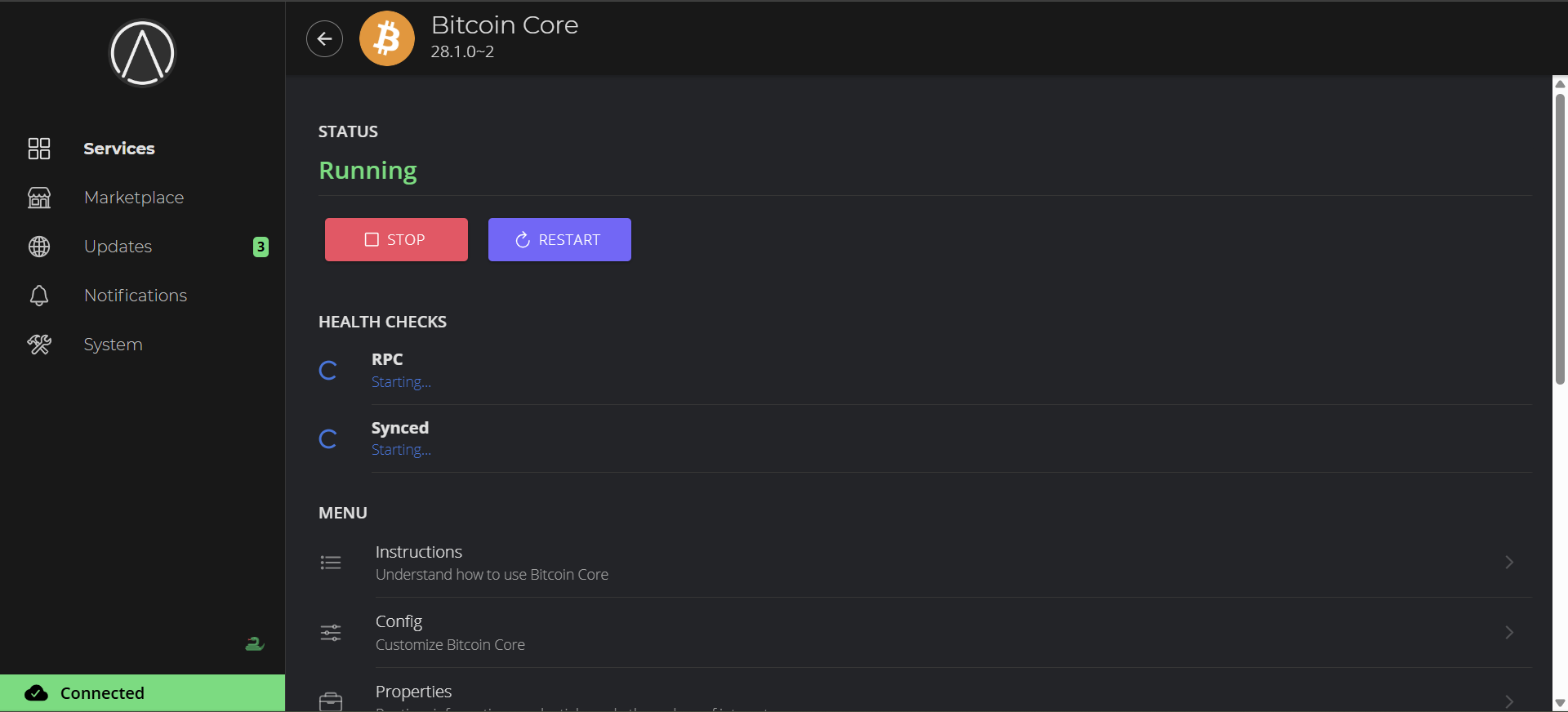
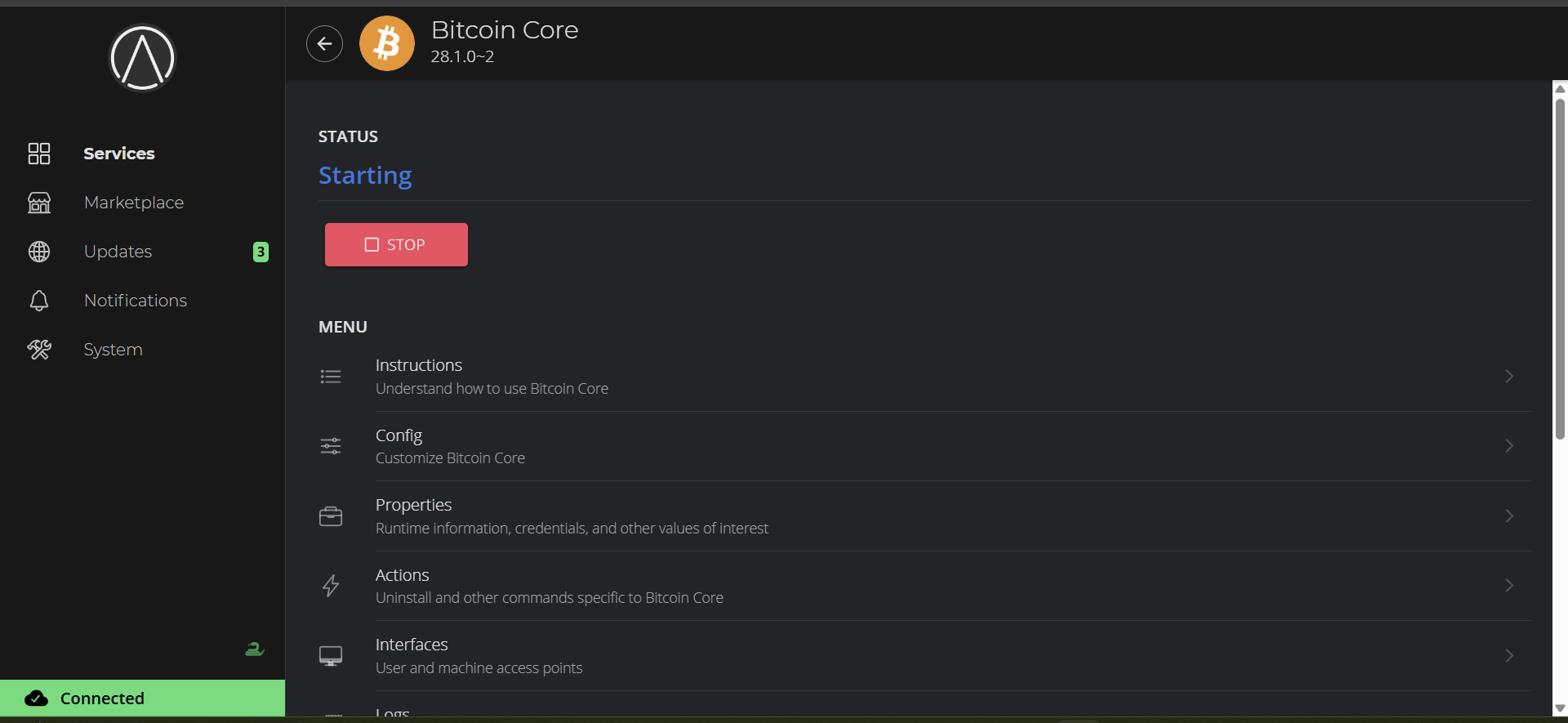
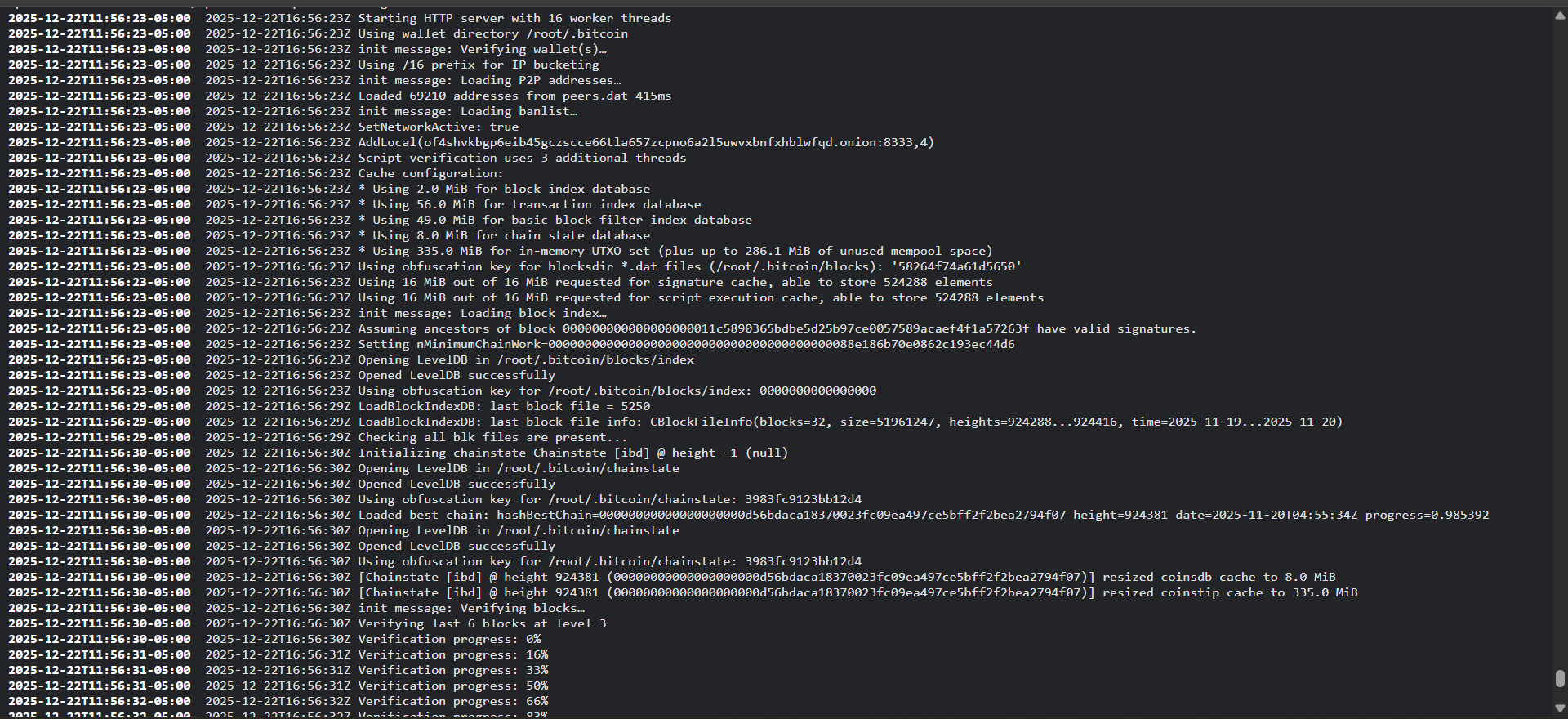
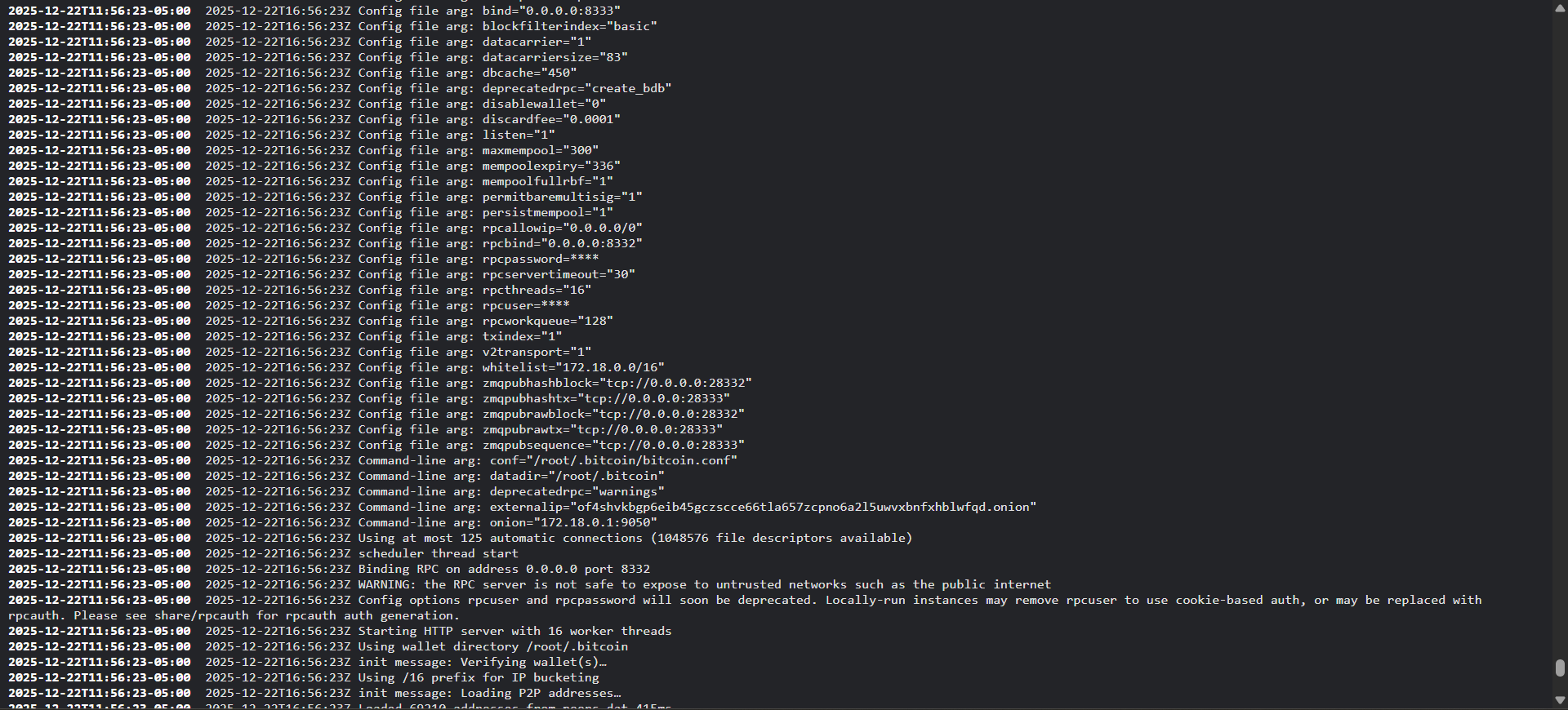
I had installed this server back in August and it worked well. It took a few weeks to sync. Then it was good. I also had the issues of traveling often. And I wanted to have access to my Bitcoin Node and Electrum server when traveling. I used TOR and it worked well for a while. Then it went down. And I had to have someone go to the server to reboot it since I was far away. However this only worked one time. And the next time it would not reboot. We discussed the problem on here. And it was decided that when I returned home. I would reboot and we would discuss how to fix it so it would be more stable and not have to reboot all the time. And when rebooting it would actually come back up. I have returned home. And tried to reboot, while I had a local connection. It did reboot, and started syncing again. It was at about 98%. This went on for a while but then it stopped. And I could not log in locally. It had the error “RPC Error, Database error. Pool timed out while waiting for an open connection”. I rebooted again and I got it to say starting. But it does not start. It keeps cyclling between starting and syncing on Bitcoin core screen. I will attach screen shots. Am I on the right track? Should I just leave it and let it cycle through? Or should I force another cold boot? Your help is greatly appreciated.
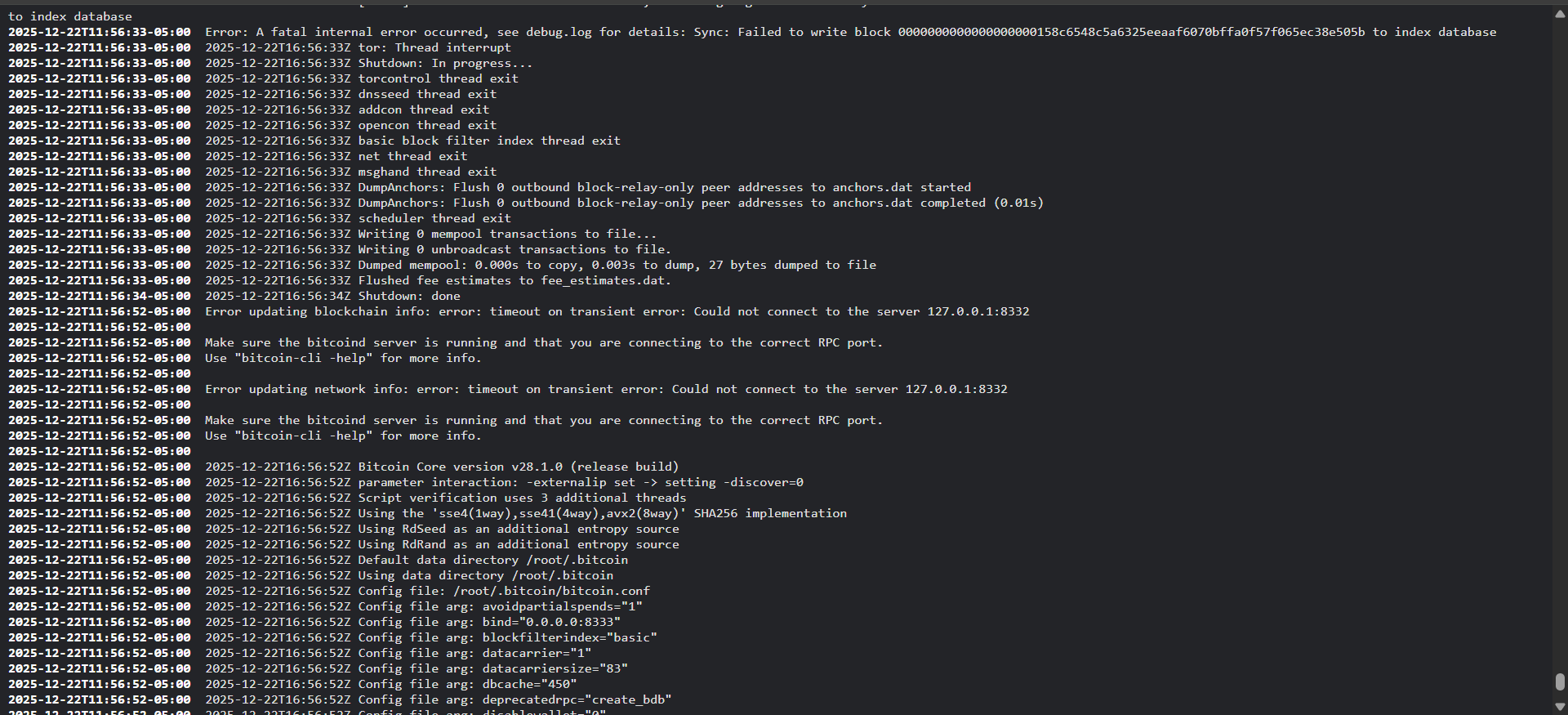
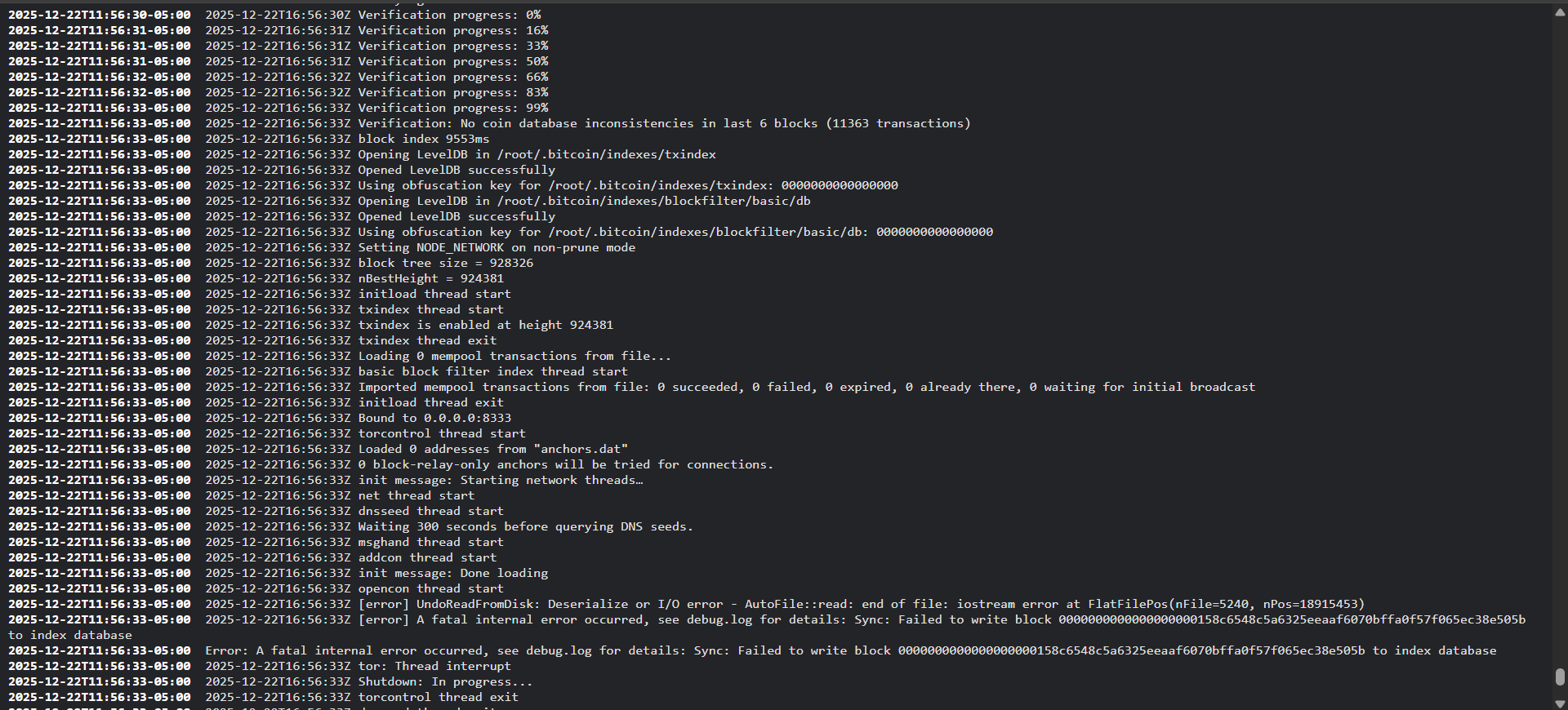
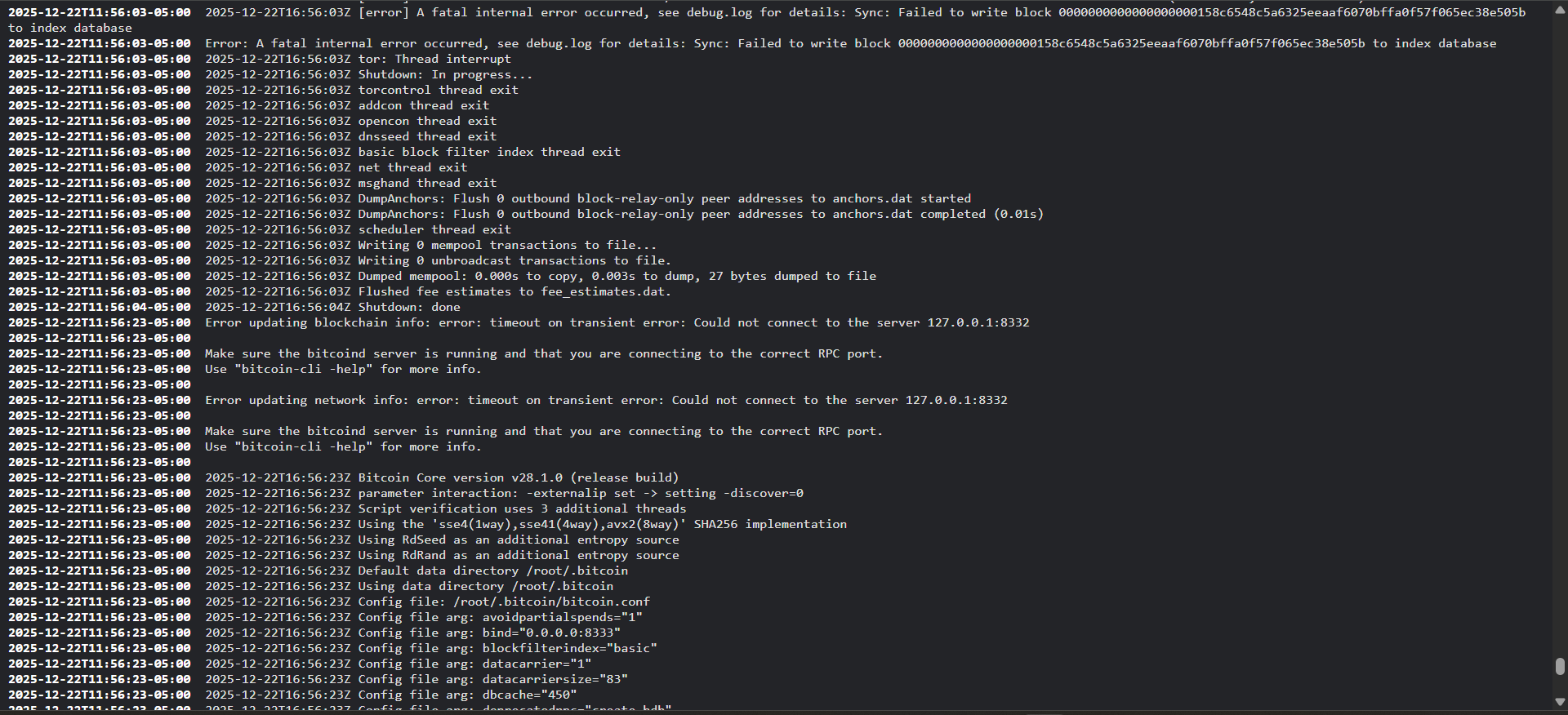
This is what I found so far. There are a lot of logs scrolling by. I did notice one error that caught my eye “A fatal internal error occurred. See debug.log for details: Sync: Failed to write block”
There are many other errors. But its hard to read them. Stuff is scrolling rapidly.
Another error is :Error updating blockinfo: error: timeout on transient error: could not connect to server 127.0.0.1:8332"
“make sure your Bitcoinnd is connecting to the correct server, and that you are using the correct RPC port”
There is a lot of other stuff. But I really don’t understand what I am reading. Or what I should be looking for.
Try opening “Config” and click save without changing anything.
If that does not help, you will have to dig deeper into those logs and see what other errors are coming up. There might be some corruption of the data, if this is the case there are actions you can run to fix it.
But knowing what is causing the issue is important in order to choose the next step.
Another option is to perform a System Rebuild which won’t delete or change anything. Just rebuilds the containers.
You can find this option under System → Power → System Rebuild
Keep in mind that It may take quite a while to complete. During this time, you will lose all connectivity to your server, just need to be patient and let it finish on its own and come back online.
Ok. So I tried the config and then save without doing anything to the config. It seemed to act the same. Then I tried running through the process of trying to get it started. It just kept cycling through again and again.
I downloaded the logs. And I did a search on the word error. And this set of logs was repeated many times. It appears near the top of this set of log statements there is a reference to a fatal error. Not sure if this is the actual cause. What do you think?
I havent tried the other options yet. Should I wait to see what we find out on the logs or go ahead and try them?
I did searches on corruption, corrupt, and container. And nothing came up on any of them. I will go ahead and try the system rebuild and see what happens.
I tried to stop the server as it was showing starting. And it gave me an errror and threw me out. It then showed an error at the login screen. " Rpc error, database error, pool timed out while waiting for connection" Looks like I am going to have to power it off and on to get it to allow me to log in again.
UPdate: OK I did the system rebuild. ANd it completed. However it has not changed much. I also stopped the electrum server and mempool service. Just to let BItcoin Core try to come up by itself. But it made no change. It just keeps trying to cycle through the health checks.
Please help me out with a clarification guys. I am not so experienced with StartOS. Homer you recommended to reinstall StartOS without having to lose my data.
I am assuming to do the two steps in order 1 and then followed by 2? I just want to make sure.
Also which one should I use X86 or X86 non-free. I am installing on a Dell Optiplex 7050 headless server. In my previous installation I installed with X86. I am thinking about using the non-free version this time. Maybe it will fix it. It appears that nothing has changed with these images since November of 23. Will I lose my data if I go from x86 to x86 non-free? Any thoughts?
To answer a previous question about the logs. I never saw anything in the log about corrupted files. However when plugging a monitor into the server it is cycling through an attempted saturp. It has an error:
“I/O error, dev SDA sector xxxxx op 0x0 read flags 0x0 phys_seq 1 prio class 2”
then it goes through several other errors and then “failed to rotate” errors.
Does this offer any clues.
I am still proceeding with the re-install of x86 non-free.
Ok. Well I have reinstalled and I am connecting locally and it appears to be the same errors as before. As it cycles through Restarting there is a fatal internal error occurred see debug.log for details. And then it shuts down and restarts. I am not sure where debug.log is.
Does anyone have any ideas?
Maybe I should use the paid support to solve this? I am not sure how much that costs for a DIY server?
I understand the challenge you are having. Maybe I should attach some of the logs here? There are also a series of errors when I rebooted and I was looking at the command window when in Kiosk mode. When I attach a monitor to the server. Would that help? I am completely lost at this point.
Reviewing this thread it seems there are multiple unanswered questions. So here goes:
The difference between x86 and x86 non-free is that non-free has extra proprietary (non-free) device drivers. Depending on your DIY hardware you might need them.
This, combined with the fatal error you’re getting from Core “failed to write block” strongly suggests you have a hardware issue with your storage device (SSD?).
Thanks Jesse. I appreciate the analysis. That helps me. I will do the screen shots and pics today of all of the errors.
And thank you Matt96. If it is a hardware error what does this mean? Replacing the new SSD with another one?
I will open the system up and re-seat the SSD and see if this helps. Also if it is a bad SSD I will let everyone on here know so you can avoid the brand.
Ok. I tried to do a cold boot to see the errors on the command window at startup on the server monitor. Trying to take some pictures. But it didn’t show anything monitor went blank and then login screen appeared. And it did boot successfully to the point of starting Bitcoin core. At this point it started repeating the problems from before the upgrade. It goes through the RPC health checks. So I got logs downloaded from service logs. I attached them below. As you can see the fatal error occurs. Then it goes through the starting process again and again.
Please let me know if this helps? And any suggestions on logs or other troubleshooting steps?