Subject: Embassy Pro Boot Failure — Wi-Fi Internal Error / `wlp1s0` Interface Missing

Hello Start9 Support,

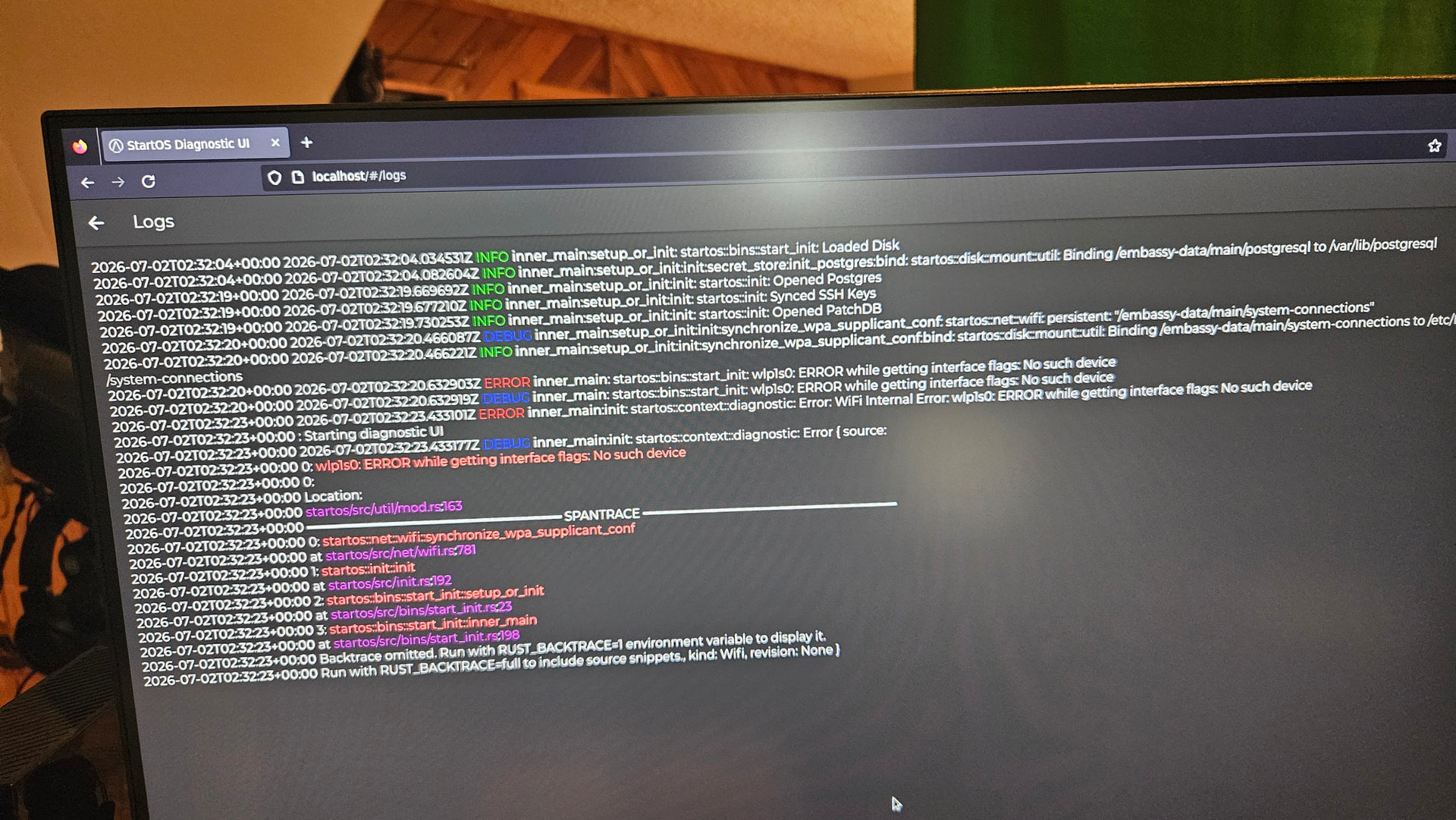
My Embassy Pro is currently booting into the StartOS Diagnostic UI with the following error:

`WiFi Internal Error`
`wlp1s0: ERROR while getting interface flags: No such device`

I have attached a photo of the diagnostic logs.

So far, I have tried the following recovery options:

* Restart Server
* System Rebuild

Unfortunately, neither option resolved the issue.

System information:

* Device: Embassy Pro
* Firmware: PureBoot-Release-28.3
* Kernel: Linux 6.1.8-PureBoot
* Network connection: Ethernet only

I do not use Wi-Fi with this server and have always connected it through Ethernet, so I am unsure why StartOS is attempting to initialize the `wlp1s0` wireless interface.

The logs appear to show that the disk loads successfully and PostgreSQL and PatchDB open before the Wi-Fi initialization error causes StartOS to enter Diagnostic Mode.

Could you please advise on the safest next step? I would like to avoid doing anything that could affect the server data. I am also wondering whether this may be related to a recent StartOS update or a stale wireless configuration.

I will check for your response in the morning.

Thank you,

David Green
We’ve seen this inexplicable firmware issue a few times. I don’t have a good handle of what exactly causes it but you can get around it by reinstalling StartOS and preserving your data.
Here: Start9 | Use an Existing Data Drive
Remember also that Start9 customers have access to live support here: start9.me
Thank you for your response StuPleb, and yes that fixed the issue. For anyone else having this problem. I simply did the following steps:
- Create a bootable USB containing the correct StartOS image for the Embassy Pro.
- Boot the Embassy Pro from that USB.
- Reinstall StartOS.
- Remove the USB and reboot.
- Open http://start.local.
- Select Recover.
- Select Use Existing Drive.
- Select the current StartOS data drive and complete setup.
*I used BalenaEtcher to Flash the .ios file which is found on Github
Bitmainstreet