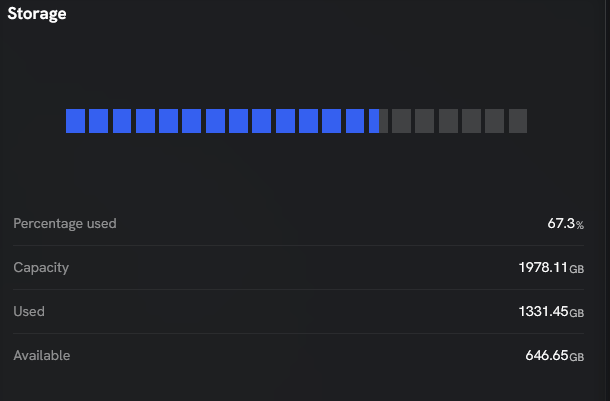
Storage usage is great to recognise you’re good on space or you’re needing to look for new storage hardware, but it is very primitive. You can’t see how much each service/container is using.
It would be better to be able to expand the Used section to show how much data is being used per container/service. How much is Bitcoin Core using? How much is Fulcrum using? How much is Electrs using? How much is an AI Container using? Right now, all I know is that all together I’m using 1331.45 GB.
Showing usage per service is on our list: Service Metrics · Issue #506 · Start9Labs/start-technologies · GitHub
Until then you can get the numbers from the server itself. It’s a few typed commands, and none of them change anything.
-
On a Mac, open the Terminal app. On Windows, open PowerShell.
-
Type ssh start9@your-server-name.local, using the same .local address you open StartOS with, and press Enter.
-
The first time, it asks if you want to continue connecting. Type yes and press Enter.
-
At the password prompt, type the password you log in to StartOS with. Nothing shows on screen while you type, which is normal. Press Enter.
-
Paste this and press Enter:
sudo du -h --max-depth=1 /media/startos/data/package-data/volumes/ | sort -h
-
If it asks for a password again, it’s the same StartOS password.
After a minute or so you’ll see one line per service, smallest first, with its size (G is gigabytes) and the service’s short name at the end: bitcoind is Bitcoin Core, fulcrum is Fulcrum, electrs is Electrs. The last line is all services together. Type exit and press Enter to disconnect.
The same steps are in the docs: https://docs.start9.com/start-os/ssh.html and https://docs.start9.com/start-os/service-containers.html#service-data-on-the-host