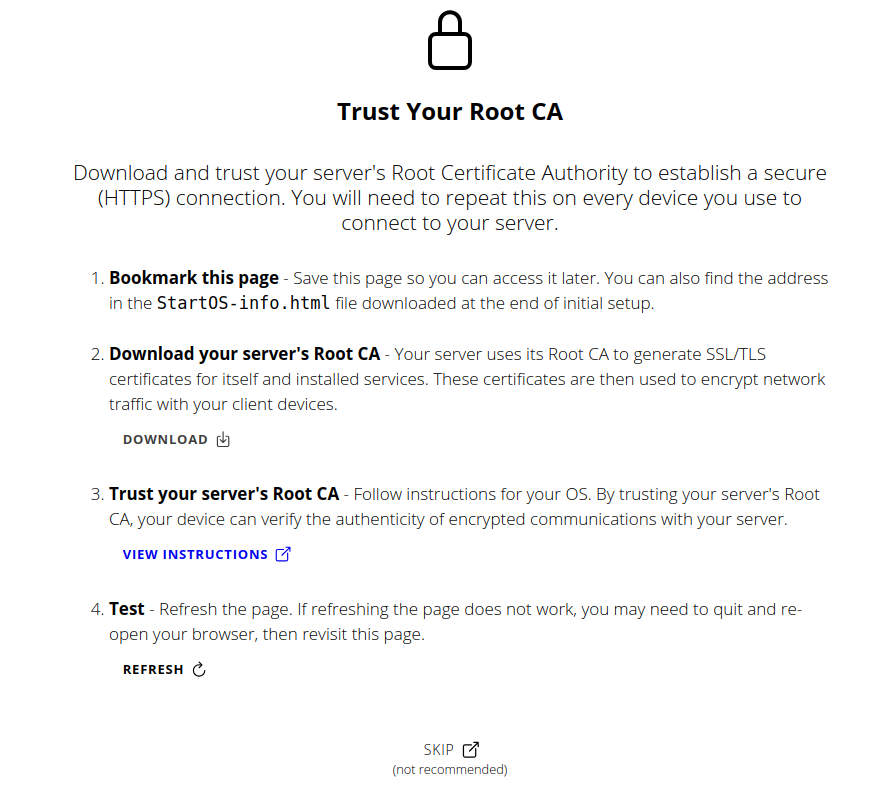
I have done the steps for trusting root CA for Linux. After that it said “1 added”. So it seemed to have worked.
I have tried to do the final steps for Brave and Firefox but in both cases the menu is completely different to the description. It seems to be outdated.
In the case of Brave I managed to add the certificate as trusted, anyway.
But still there is no connection.
No. Your server has only one root certificate authority. But it does need to be imported to each device which will connect to your server. I believe you’ve already done so, based on your OP.
This tells us two things. You are having an mDNS resolution problem, and the Firefox setup has not been completed. Probably best to focus on the mDNS issue first. What version of Ubuntu are you on?
Please open a terminal, and ping your server using your unique adjective-noun.local address.
The good news is, the server appears to be working fine. We’ve reached a dead-end, for this logical maze. Please review the steps we’ve tried, and the information you’ve provided. Something may be missing, or incorrect. A typo in the adjective-noun.local address? Otherwise, your avahi daemon is broken, even though it shows active. That’s where you’ll need to focus your efforts. You may find it easiest to just restore your Ubuntu system, as my understanding is that it should work out of the box. Maybe someone else will come along that thinks of something I have missed.
I reviewed the steps and at the firefox windows (where I send a screenshot from) I just clicked “SKIP (not recommended)” then I was able to log in
Eventhough I didn’t complete the steps for firefox.
Then I tried Brave Browser with the IP adress and it immediately showed something like “root certificate accepted” and I was able to log in.
Just worked with the IP. But not with my servers “adjective-noun” (no typo)
Your hint to use the IP adress helped at the end. Thank you
That will allow you to administer your server, but ultimately you’ll need avahi working correctly in order for Ubuntu to utilize services you have running on your server. They cannot be accessed via IP:port.
The Vaultwarden Problem isn’t about Ubuntu, now I can’t connect from my Windows PC, too. (Where I’ve set Vaultwarden up from)
Also I can’t connect Bitbox App to Electrs. Not from Ubuntu, Not from Windows. Not directly and not through Tor.
I came here after 2 years of using Raspiblitz because Start9 looked like it’s easier to handle. It’s not
Hey, I was running Start9 on HP Elitebook with i5-3360 and 8GB RAM. I don’t think the 8GB were a problem because monitoring showed it was using about half of it or even less the most time.
I decided to go back to Raspiblitz and it’s downloading the chain right now on my old start9 drive. Probably Raspi is not easier but I have some experience with it and its way more easy for me to get info or help on it to get stuff running.