RPC ERROR: Unauthorized after upgrading to 0.4.0

Hi everyone,

I’m getting the following RPC error after upgrading from 0.4.0 beta 9 to 0.4.0:

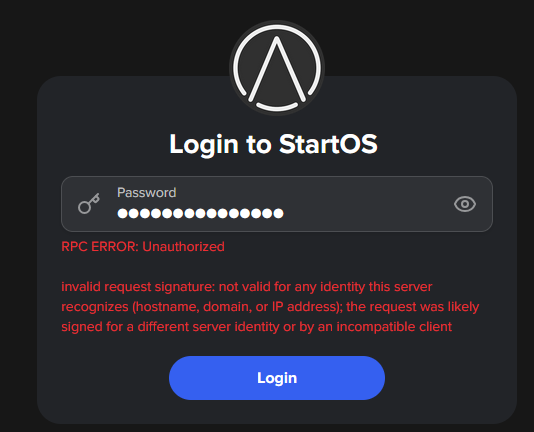
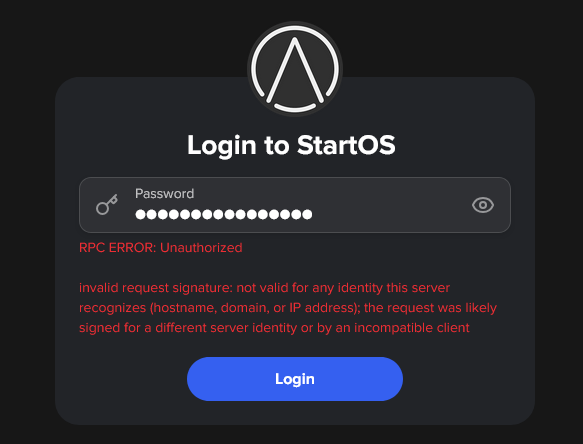
RPC ERROR: Unauthorized

invalid request signature: not valid for any identity this server recognizes (hostname, domain, or IP address); the request was likely signed for a different server identity or by an incompatible client

This happens when I try to connect to my Start9 server over Tor. I was testing the Tor connection specifically to make sure I can access the server remotely when I’m away from home.

Everything was working before the upgrade to 0.4.0.

Has anyone else seen this after upgrading from beta 9?

Could this be related to the server identity, Tor hostname, or a client certificate/signature that needs to be refreshed after the upgrade?

Any guidance on what I should check or reset would be appreciated.

Hey, same error here :frowning:

Same error here too. The time in the server is off by 3 hours. Changing the PC time doesn´t helb.

I’m having the same error on a) upgraded 0.4.0_beta9 to 0.4.0_release b) reinstalled from scratch 0.4.0_release :

I find the following error message on “OS Logs”:

2026-07-26T20:20:48+02:00  2026-07-26T18:20:48.606825Z DEBUG
 start_core::middleware::auth::signature: 
shared-libs/crates/start-core/src/middleware/auth/signature.rs:435: 
request signature failed verification for every known server identity signer=Ed25519(VerifyingKey(CompressedEdwardsY:
 [126, 128, 62, 13, 253, 1, 115, 135, 216, 92, 128, 121, 132, 0, 9, 50, 
46, 129, 94, 164, 173, 5, 160, 179, 69, 212, 75, 198, 246, 161, 206, 
129]), EdwardsPoint{
2026-07-26T20:20:48+02:00  	X: FieldElement51([1551398874689659, 815806379799869, 1266110802011190, 319108317672220, 612026862562575]),
2026-07-26T20:20:48+02:00  	Y: FieldElement51([846611290685566, 157436515913966, 415635675292674, 601268846515922, 31791875122365]),
2026-07-26T20:20:48+02:00  	Z: FieldElement51([1, 0, 0, 0, 0]),
2026-07-26T20:20:48+02:00  	T: FieldElement51([310058547566984, 1625140914329875, 978792085536423, 1249911916552939, 1164299416577283])

Same error. First tried it after updating to 0.4.0 though, so don’t know if it was working previously. Following.

RPC ERROR: Unauthorized

invalid request signature: not valid for any identity this server recognizes (hostname, domain, or IP address); the request was likely signed for a different server identity or by an incompatible client

can the devs do something? maybe test next time before release?

I have exactly the same error when trying to access startos from TOR. Checked the OS logs and there were listed the adjective-noun.local addresses, local LAN IP as allowed hosts/contexts. There was not the .onion address of the StartOS. I think this is the problem. And as you, I also wondered if anyone tested this before rolling it into production. I mean there were so many alpha and beta versions of 0.4 - how come nobody noticed that?

I tried to use Tailscale as an alternative, but does not work either. I opened a separate request.

This error generally:

  • The guide asks you to hard refresh the browser, now that the auth functionality was replaced.

This error over Tor:

  • If you’re still using Tor on v040, you’ll need to login at least once locally (or over clearnet, VPN, etc) to update to v040~1

I logged on locally multiple times, no problem with that. But the version is 0.4.0 and when I check in System > Software update, it says “You are on the latest version of StartOS.”

also did login locally no problem. normally don’t use it from distance but this time I need to.

I might have jumped the gun a little, the fix is on it’s way if not already available.

Fix is available and fixes the problem

I fixed it with that fix and its fixed :blush:

Which version fixes this? My mDNS is not working due to how I have StartOS running in a VM. And the RPC error appears when I reach the dashboard by IP. My workaround has been to put the mDNS in my /etc/hosts

Wheres the fix?

Please

The fix is to hard refresh your browser window. You are operating off a cached page, which has elements that no longer authenticate you as of the official 040 release.

To hard refresh your browser window, use these key combos:

Linux/Windows: ctrl+shift+R

macOS Firefox: cmd+shift+R

macOS Safari: cmd+option+E, then cmd+R

Oddly enough, in firefox, I actually had to close the tab where this error message appeared – Ctrl+Shift+R was not enough!

So if you’re on firefox, try opening the site in a new tab.

This topic was automatically closed 2 days after the last reply. New replies are no longer allowed.