Im currently upgrading to 0.4.0 Beta 9 from 3.5.1 Made sure to follow instructions very carefully. The process has been “stuck” on Running Migrations 85% for almost 48 hours.
Im on a fairly fast CPU & fast Ethernet wired internet.
Processor AMD Ryzen™ 7 PRO 8700GE Processor (3.65 GHz up to 5.10 GHz)
32GB Memory
256GB (StartOS)
2TB- internal SSD (data)
My question is, is this normal for this update to take this long? I know the instructions are to wait it out. But at what point should I be concerned? How can I tell its not really stuck at this point? At what point should I take action? Any guidance will be appreciated.
I just did a hard refresh on the browser. Now http://localhost/loading is on an infinite lading loop. log is now gone from the page now its just a blank page.
I’m not clear what you mean with: http://localhost/loading
But it sounds like your browser cannot connect to your server. Try restarting your client machine, open your browser, and attempt to connect to your adjective-noun.local address. If that doesn’t work, try your server’s IP address instead.
http://localhost/loading was where the browser took me to when trying to refresh the upgrade process page.Which resulted in a blank page.
Before I restart the machine should I remove the USB drive with the 040 installation file on it? Or should I restart with the StartOS 040 installation USB inside the machine?
It has been 72 Hours since the update attempt. Server is unresponsive. The upgrade log and progress bar is completely unaccessible now. At this point im starting to think the update silently failed or silently finished. The server has not been reset. I wont do anything until I get someone from the Start9 team to guide me on the next steps. Until then we are completely down…
Are you still able to get to this page specifically? Please tell me about the client machine you are using to access your server. Or, if you are using kiosk mode, by connecting a monitor, mouse, and keyboard directly to the server.
Are you still able to get to this page specifically? - On the actual server nothing is loading. I’ve tried my adjective-noun.local server address & Server IP, Both wont load when trying them directly on the server.
The client machine is Mac OS on the same network.
The Server machine has a Monitor, Mouse & Keyboard directly connected to the server.
adjective-noun.local server address is unresponsive from the client machine. It shows the “Login to StartOS” Page & It allows me to enter a password. but once I do and click on LOGIN… it gets stuck on “Logging in…” then after a while it shows “Unknown error” message.
From the loading page, please try a hard refresh of the browser:
command+shift+r on most browsers
command+option+r for safari
If the page won’t load at all, I see little choice at this point but to power cycle the server. You can try first simply pressing the power button to see if it shuts down cleanly. If not, you may need to hold the power button until it powers off forcefully. Wait 30 seconds, then turn on again. At this point I would like to know what you see on the monitor directly connected to the server.
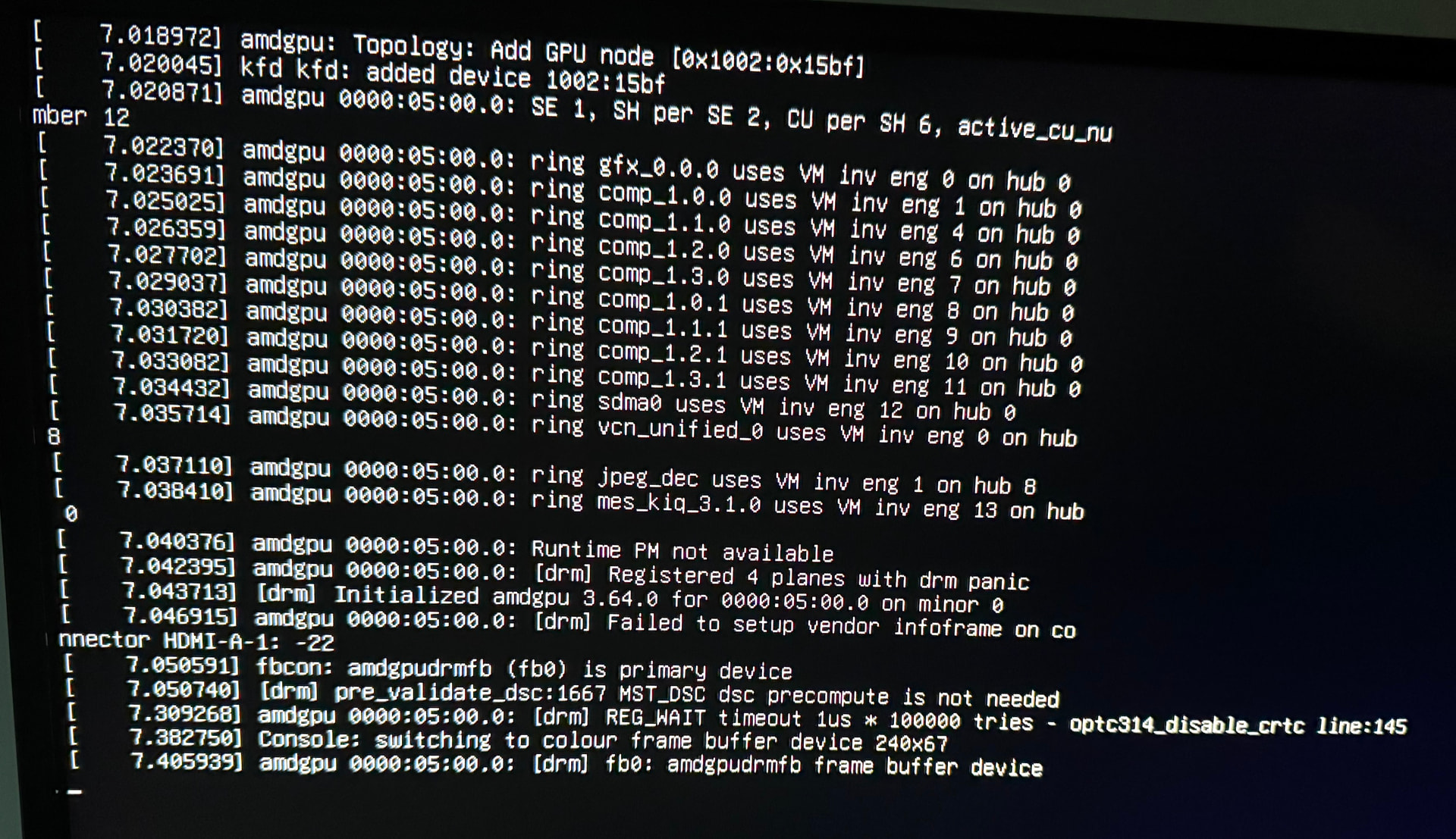
Update: Booted from USB installer. Proceeded with the upgrade steps again. The installer finished successfully fairly quickly (3 Minutes or so). It asked to remove USB and restart. After restart StartOS did not boot into Start OS and kept showing “Emergency mode, Press Enter” notification loop . So now I’m attempting to boot into Recovery Mode. Recovery mode is taking a long time to load. Its been on this screen for a quite a while now.
Solved. After simply pressing ENTER on this screen, it proceeded to load StartOS 0.4.0 successfully. Everything seems to have been migrated gracefully.
Had similar success with another Linux install (I think EasyOS but distro hopping at the time, can’t rememember exactly) which seemed to be in an install loop, and enter indeed fixed. Not for me this time with StartOS. Read somewhere on here (above?) that drives should be set to .ext4 ? Will do some more research and if no luck, start a new post on the errors I’m seeing.