Just upgraded to 0.4 and was able to get my Vaultwarden pointed to the new .local address.
How do I get my Nextcloud service to start syncing?
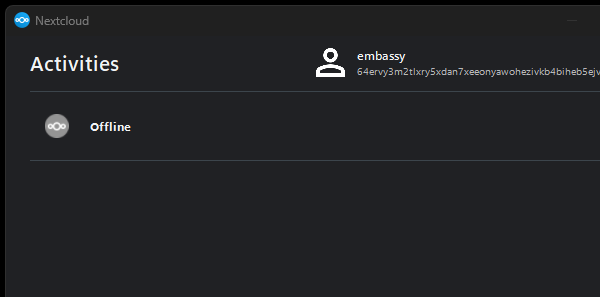
I’ve uninstalled the Windows app and re-installed it but it seems to be stuck on the old address. I can access it find via the StartOS app/UI.
On the Nextcloud service, if you look under interfaces, then web UI, you’ll see your server-name.local:53073.
That’s the new address, rather than that old random string. If you were using a .onion address, let me know because that should have stayed the same.
Thanks Rexter, I got that. I guess my real question is where do I put that new address into the app? Im not seeing any way to edit it. The other apps it was very clear and easy to change a target address.
Yes, I’ve confirmed that Nexcloud client app on Windows (probably other platforms too) does not provide a way to edit the URL in the client. Depending on your setup, it may be easiest to simply remove the account, and then just set it up again as a new account with the correct URL. If your share setup is complex, and you don’t want to redo it, you can manually edit the config file by opening it with Notepad.
%LOCALAPPDATA%\Nextcloud\nextcloud.cfg
Close the Netcloud client first, edit the url you’ll find under [Accounts], then save. If all else is well, after that Nextcloud client will connect to the correct url.
Well, In a very round about way I’ve synched a new folder to the existing files stored in Nextcloud. The .cfg files were not being removed when I uninstalled the program, so I did end op editing the .cfg but I could still not get a test folder to sync. It said the old Nextcloud folder was already used for a sync, but i never saw my test folder show up on the server. I made a full 200gb backup and re-installed Nextcloud with the WebUI mDNS address and it started downloading all my files to my laptop. Kinda weird but it worked, I have a file called Nextcloud2 now.
That sounds like a way harder, and more complex way to do it. Is this just what you tried before I answered? Or did the two options I presented not work?
I did not have either actually sync a test folder. I gave it about 1hr and it still said offline.
The ultimate solution was to populate the server’s copy of nextcloud with my laptops copy. Once everything was the same, I’ve had no issues with any new files syncing. I’m still not sure why the connection kept dropping offline. I ultimately just uploaded all the files in batches to the server and re-started the sync program and was able to sync test folders almost instantly.