As a newcomer to START9 support section I find it totally frustrating. I’ve now just discovered how to post this. https://mundane-minx.local/login doesn’t work now. I’ve tried Chrome, Firefox, Safari all cannot find this. I’ve looked at the support advice and none of it solves the problem. I’ve now given up trying. START 9 is working and can use Sparrow but I cannot log in. Why can’t START9 be identified by my iMac as just another drive? If I can’t rely on Start9 working what is the point of it?
Hi! Sounds like this has been very frustrating. Would you like to go over some troubleshooting steps?
Please tell us a little about your server, your setup, and the circumstance around the issue you are currently experiencing.
Thanks for responding. I bought START9 to do my bit for Bitcoin. All went well until a few weeks ago and now I can’t login. It seems to be working well and I can use it with Sparrow. I just can’t login. I’ve tried Chrome, Firefox, Safari. iMac Tahoe. Livebox 5 . Ethernet. Unpugged and plugged in START9. Looked at all the suggestions here (some I didn’t understand). Why is it all so complicated? More BTC is lost because of complications than scams. This is all I get every time I login.
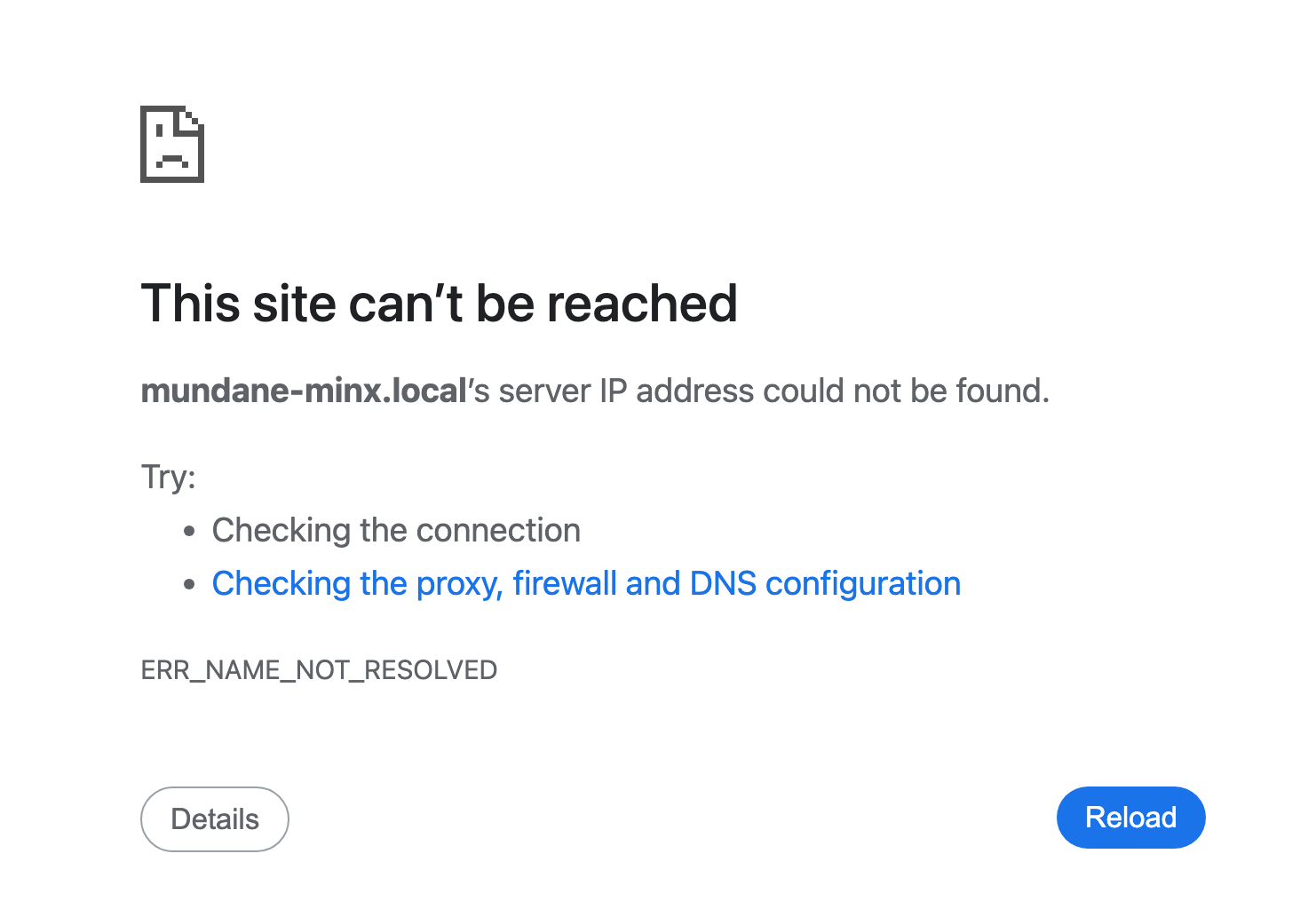
This error simply means the browser cannot find your server. Lets find out why.
I’d be happy to continue with you here, or for faster service, you can joint our live support server.
Your access code was included in an email you received right after you bought your server. We have Start9 techs available to help you in real time 15 hours per day, 7 days per week. If you’d prefer to keep this conversation here, let me know, and we will continue.
I’ve already asked Private Support with my START9 id number and got no response.
I notice quite a number of people have the same problem. I’m wondering is it really worth running a node when START9 is not really up tp the job of working with a normal Mac.
I tried support again and just get the whirling circle. I live in France.
Sounds like your having quite a few different but concurrent networking and browser problems.
Your Start9 server (and the support server for that matter) isn’t able to overcome an inability to reach it from your computer, it just sits there waiting to be reached. Unplugging the server (not a good idea) isn’t going to have much affect on your iMac.
Fortunately we have all the resources available to troubleshoot here. It wouldn’t be a bad idea to go through all of them, but, with experience I can make some guesses as to which are a factor here.
First the one I don’t think it is:
iMac
macOS has the built-in ability to open .local addresses, so that shouldn’t be an issue here. What it does do is sneakily add security restrictions to all software not created by Apple, which means all the other web browsers. These security restrictions block browsers from accessing the local network where your server sits. After updating macOS or installing a browser and trying to access a local network resource, there’s a popup message from StartOS asking if you’d like to grant permissions. The more trigger-happy among us just click anything without reading. If you might have done this, you’ll need to go to your mac’s settings, to Privacy & Security, then Local Network, and enable anything related to any of the browsers you use (check carefully – some have more than one component).
That said, I don’t think the above is your case. I think you have an anti-consumer consumer networking setup.
Networking devices
Most companies see their customers as little more than intellectually deficient peasants. Whereas years ago they’d produce hardware that was capable of following all standards and be configurable enough to do anything that it should be able to do, today they expect everyone to be slaves to the cloud. So long as their customers can access TikTok or Facebook, what more would those slovenly peasants ever want? A so-non-thought is given to people being able to set up a local area network (LAN) in their home, to connect their devices together. These days, anything that should be securely connected without data leaving the home where it can be spied upon just goes out over the internet, allowing the NSA, the CCP, and the FSB to see you leaving your home or who’s at your door, to see what you print on your printer, and who knows what else.
The long and short of my rant is… whatever is between your iMac and your server may simply block .locals. Unless you recently changed something or turned something on (a setting), then we could probably spend ages troubleshooting and not find a way around it.
That said, disinterest in standards can’t be taken to extremes - IPv4 simply has to work. So what I’d do in your case is log into your router, find your server listed in and screen for related connected devices, find the IP address, and try that in a browser. The IP address would look something like 192.168.0.100 and so in your browser you’d do https://192.168.0.100 for example.
Of course, if nothing is listed as connected, then you have a hardware issue of some kind.
2 Likes
Were you unable to find the email I referenced? I’m not clear on where you sent said ID, and got no response, but you’ve got two of us responding to you here, and now. How can we help? As Stuart was pointing out, with the current info you have provided, there is less than a 30% chance that the problem is with your server. We are happy to do our best to help you resolve, or work around the issues that may have been caused by things outside our control. Would you like to do that here, or are you going to register for live support?
1 Like
I’ve logged into the Livebox and the Start9 is not listed even though it shows the ethernet cable is working. The Start9 seems to be sending information but doesn’t show up as connected equipment.
What is “the Livebox? Is that an ISP provided router? In what way does it show the Ethernet cable is working? How do you know?
Livebox 5 is a French telecoms router. When I say the cable is working it lights up a both ends. one from the router and the other from START 9. All lights flashing. I f I want to send BTC I can with ColdCard and Sparrow and Start9. The only thing I can’t do is login.
IT doesn’t show up in the router Livebox.
I put in my access code and email and all I get is a spinning wheel as though you’ve all gone to lunch and can’t be bothered to man the system.
START9 looks as though is only useful if you’re in the USA.
Your frustrations at Start9 and StartOS are misplaced, evidenced by various admissions scattered throughout your posts.
There are a few possibilities here:
-
You are mistaken about not seeing the IP – your server shows up on the router with an IP but your don’t recognize what its labeled as. This is the most likely possibility since you say you can use Sparrow connected to your server (unless you’re mistaken there). If Sparrow is truly connected to your server and is working, we rule out any and all issues with your server and confirm your frustration is misdirected.
-
Your router is broken… unlikely since I assume you’re using it now. And your server is connected to your internet and your server is working (you say Sparrow is connected to your server).
-
Your server is broken… I have no record of you as a customer, either by name or email address, you haven’t mentioned a model, but you have been a member since 2025. I don’t know what to make of that. It’s essentially impossible that your server is broken because you say your Sparrow is connected to your server. If this is the case, the fault lies with something else.
You’re really going to need to get the IP from your router and follow my earlier instructions. Once you prove the IP is working, you’ll probably find one of the steps here would have worked: Start9 | Common Issues
If I had to guess, it’s probably something as simple as you running a VPN client that blocks access to your LAN, while Sparrow is connected via TOR to Electrs and gets around this.
While we can make these guesses, ultimately only you control your router and your iMac and only you know how you’ve set them up and what you did at the point when you couldn’t access your server anymore.
Assuming you downloaded the information sheet when you set up your server, you’ll have in your possession the StartOS TOR .onion address and you’ll be able to paste that into TOR Browser to see your login screen – bypassing all your network issues in the same way Sparrow appears to be doing.
Worst case scenario you’re doing to have to attach a keyboard and TV/monitor to this device to get back on track if you can’t find any issues with you iMac.
I assume all your other devices can’t reach your server also?
1 Like

I purchased your START9 in good faith. Now you’re trying to say you don’t know anything about it. Here’s your original welcome message.

Your router screenshot would apparently show that you’re mistaken about Sparrow connecting to your server and working. This instead shows that your server is not connected or not turned on, meaning it’s impossible for your server to be in use by Sparrow. We can only debug with the information you provide, I have no way to verify. You must have set up Sparrow to connect to something thing else.
Now that we know your server is not connected to your router, and that it’s not currently in use by Sparrow, the next step would be to look at the hardware itself.
There’s an ethernet cable going from your server to your router. On both ends of that cable, on the ports, there should be lights. Are there lights on both sides, and are they blinking? Is the server currently powered on? Is there a power light on the front of the server?
